This Week in Plasma: Widgets Widgets Widgets
Welcome to a new issue of This Week in Plasma!
This week many widgets shipped with Plasma got quite a bit of polish. Feature work and performance work were also notable this week… really, a bit of everything! Have a look:
Notable new features
Plasma 6.9
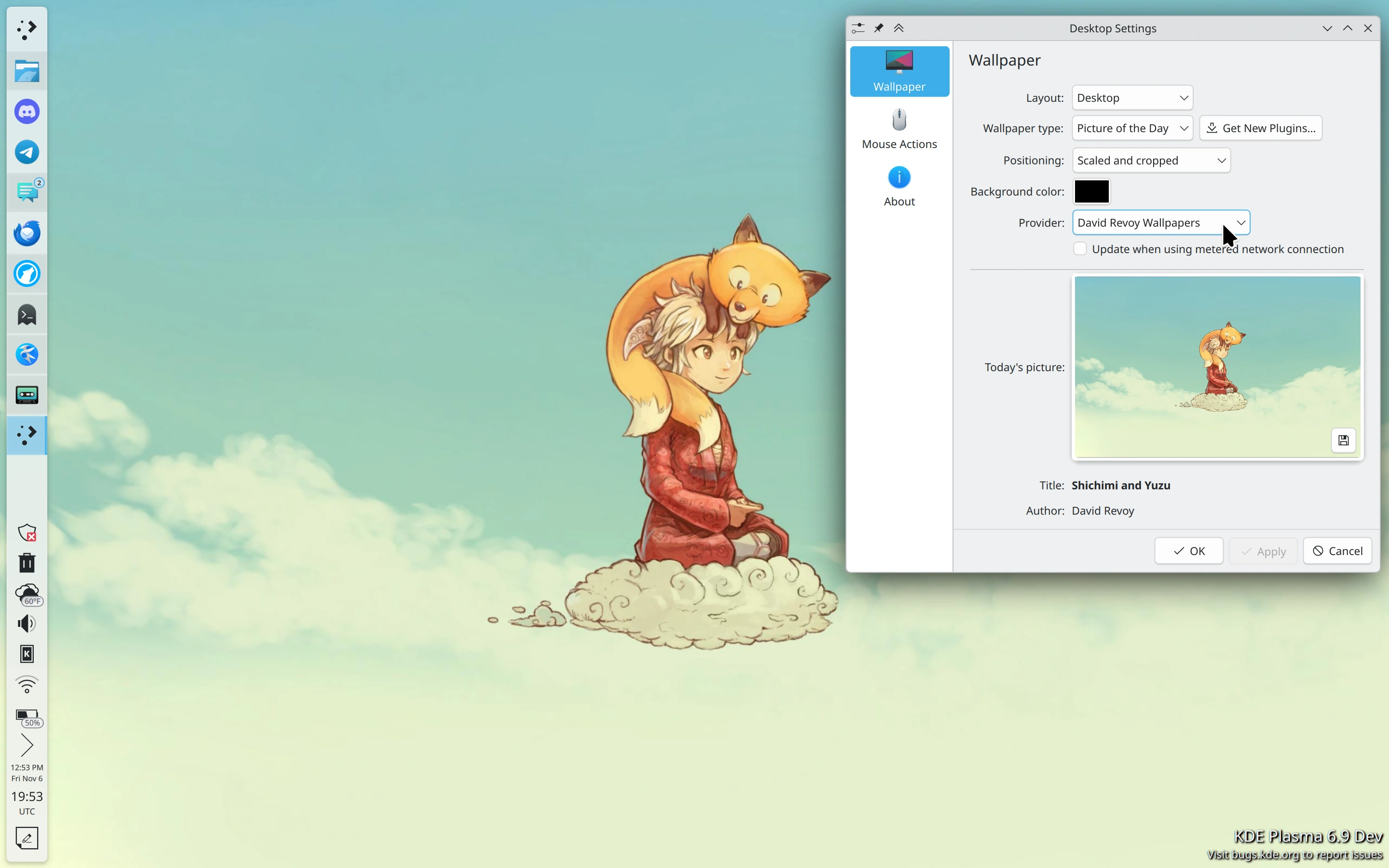
There’s a new picture of the day wallpaper plugin that displays art made by noted FOSS artist David Revoy. (Guillermo Villafuerte, kdeplasma-addons MR #1150)
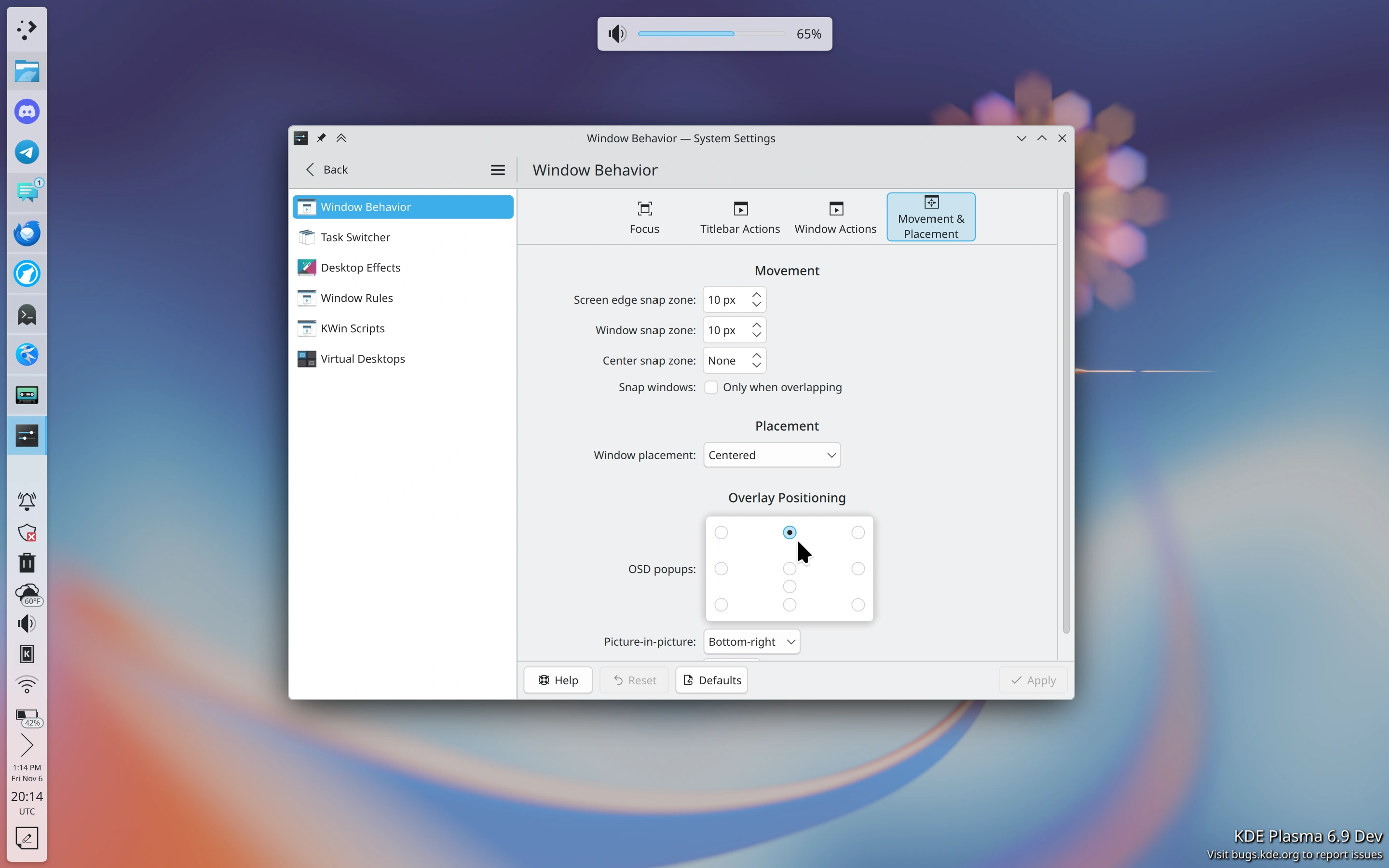
You can now choose the position of OSD popups on the screen, if the default position doesn’t work for you. (Matthias Schuh, KDE Bugzilla #501654)
Running systemd-ask-password --no-tty in systemd-257 or higher now shows a nice KDE-style password prompt. (Daan De Meyer, plasma-workspace #6433)
Plasma Browser Integration now supports the Glide browser. (Jan Buchar, plasma-browser-integration MR #178)
Notable UI improvements
Plasma 6.6.8
You can now click to focus the Calculator widget and then interact with it using the keyboard as expected. (Christoph Wolk, kdeplasma-addons MR #1191)
The Media Frame widget now changes the image displayed in its compact form immediately when the slideshow displayed in the popup advances to the next image, rather than after a delay. (Christoph Wolk, kdeplasma-addons MR #1199)
Plasma 6.8.3
Opening the font dialog from the Digital Clock widget now pre-selects the currently-used font. (Niccolò Venerandi, plasma-workspace MR #7348)
Plasma 6.9
Widgets added to the desktop are now created at a size that makes them large enough to be useful without any cut-off content. (Felix Desyatirikov, plasma-workspace MR #7342 and bluedevil MR #274)
Spinning a mouse wheel over a scrollable horizontal row of Task Manager thumbnails now scrolls them, as expected. (Christoph Wolk, KDE Bugzilla #448504)
The way multiple panels interact with one another at screen corners has been improved in a variety of ways. (Niccolò Venerandi, plasma-workspace MR #7330)


Multiple graph styles used in System Monitor widgets are now presented in a nicer and more appropriate way when used on a panel. (Niccolò Venerandi, libksysguard MR #498)
 New
 Old
The Calculator widget now animates the buttons being pressed when you interact with it using the keyboard rather than the pointer. (Christoph Wolk, kdeplasma-addons MR #1190)
The Dictionary, Disk Quota, and Konsole Profiles widgets now use up-to-date behaviors and styling for their list views. (Christoph Wolk, kdeplasma-addons MR #1192, kdeplasma-addons MR #1193, and kdeplasma-addons MR #1220)
Launcher menus now use “natural sorting”, meaning something like “Transformers 10” is shown after “Transformers 9”, rather than after “Transformers 1”. (Peder Bergan, KDE Bugzilla #524466)
Searching for a keyboard layout on System Settings’ Keyboard Layouts page now works a lot more intuitively. (Tobias Fella, plasma-desktop MR #4060)
You can now use the “Forward” button on your fancy mouse to trigger actions on the desktop. (Niccolò Venerandi, KDE Bugzilla #494216)
You can now open the clipboard settings from its Meta+V popup, just like you already can from its panel widget popup. (Kai Uwe Broulik, plasma-workspace MR #7345)

Frameworks 6.32
When using a non-integer scale factor, icons throughout Plasma and Kirigami-based apps are now a little bit less blurry and pixelated, and also don’t wiggle around so much while their parent window is being resized. (Arjen Hiemstra, Ilya Fedin, and Eike Hein, KDE Bugzilla #522336, KDE Bugzilla #527335, and kirigami MR #2225 respectively)
Notable bug fixes
Plasma 6.6.8
Keyboard navigation within the list of timers in the Timers widget now works as expected. (Christoph Wolk, kdeplasma-addons MR #1247)
The “Timer finished” message you can configure the Timer widget to show is no longer hardcoded to English by default. (Christoph Wolk, KDE Bugzilla #413374)
Plasma 6.8.3
Fixed a recent regression that made KWin crash when a DisplayLink screen was connected. (Xaver Hugl, KDE Bugzilla #527984)
Fixed a case where System Monitor could crash when you scrolled around after killing some processes. (Arjen Hiemstra, KDE Bugzilla #502879)
Plasma no longer lets you use scripting to set a panel’s spacing value to 0, since that would make Plasma freeze when its widgets were dragged to rearrange them. (Niccolò Venerandi, KDE Bugzilla #528228)
Using the Pager widget’s “Selecting current virtual desktop: Shows the desktop” setting no longer triggers rapid flashing when you scroll over it. (Niccolò Venerandi, KDE Bugzilla #471241)
Using the Minimize All widget to minimize and then restore all windows now restores focus to the previously-focused window as well. (Niccolò Venerandi, KDE Bugzilla #450137)
Fixed an issue that could make icon positions sometimes get scrambled on multi-screen setups when one screen was disconnected at the same time as another one was connected. (Błażej Szczygieł, plasma-desktop MR #4163)
Fixed an issue that could break the layout on System Settings’ Display Configuration page if you used it to turn off a screen and then immediately reverted that change. (Błażej Szczygieł, KDE Bugzilla #527131)
Timers saved in the Timer widget can once again be dragged around to re-order them. (Christoph Wolk, kdeplasma-addons MR #1224)
Plasma 6.9
Fixed an issue that could freeze an RDP stream initiated from the very confusingly-named “Windows App” RDP client app for macOS. (Chris Maria, krdp MR #289)
Opening the color dialog from the Color Picker widget no longer makes Plasma freeze while it’s open. (Madhur Dhillon, KDE Bugzilla #525094)
When the Timer widget is placed in a vertical panel, it no longer acts as a trap for the Up and Down arrow keys when focusing widgets with the keyboard. (Christoph Wolk, kdeplasma-addons MR #1225)
Rapidly clicking on the “Previous Image” and “Next Image” buttons on the Media Frame widget no longer sometimes tries to open the current image in an external app. (Niccolò Venerandi, KDE Bugzilla #371832)
Notable in performance & technical
Plasma 6.8.3
Spectacle’s “background mode” feature is now a little bit faster to launch and consumes less memory. (Frog Chen, spectacle MR #621)
Plasma 6.9
Plasma no longer leaks a little bit of memory when you right-click on files or folders on the desktop. (Zühtü Eren İncekara, plasma-desktop MR #4152)
Fixed a couple of memory leaks in System Monitor. (Méven Car, libksysguard MR #479)
Spectacle is now faster to launch in general. (Kai Uwe Broulik, spectacle MR #618, spectacle MR #619, and spectacle MR #620)
System Settings’ Accessibility page is now much faster to load. (Tobias Fella, plasma-desktop MR #4183)
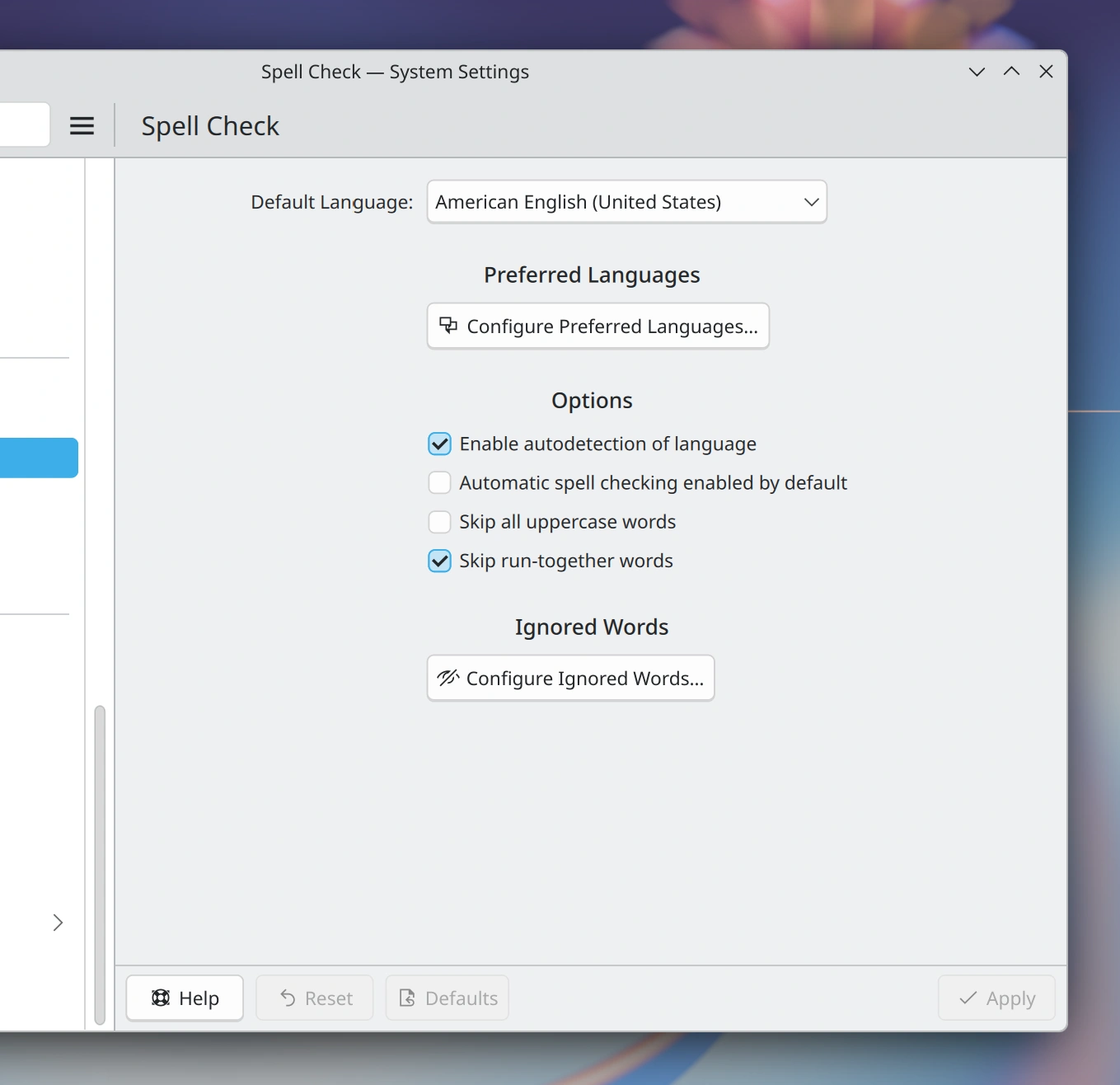
System Settings’ Spell Check page was ported to Qt Quick, giving it a more modern UI and opening the door for faster and easier future improvements. (Tobias Fella, plasma-desktop MR #3975)
How you can help
KDE has become important in the world, and your time and contributions have helped us get there. As we grow, we need your support to keep KDE sustainable.
KDE’s annual fundraiser has raised 35% of the funds we’re hoping for, but with two months left in the year, we need your help to get it over the finish line! If you can, consider making a donation.
Beyond that, you can help KDE by directly getting involved in any other projects. Donating time is actually more impactful than donating money. Each contributor makes a huge difference in KDE — you are not a number or a cog in a machine! You don’t have to be a programmer, either; many other opportunities exist.
You can also help out by making a donation! This helps cover operational costs, salaries, travel expenses for contributors, and in general just keeps KDE bringing Free Software to the world.
To get a new Plasma feature or a bug fix mentioned here
Push a commit to the relevant merge request on invent.kde.org.
Newsletter
Enter your email address to follow this blog and receive notifications of new posts by email.