Marknote 1.5
It’s been a busy few months for the development team! We’ve been focusing heavily on turning Marknote into a much more robust knowledge base while keeping the interface as clean and distraction-free as possible. Today, we're releasing version 1.5, and it’s packed with major additions and quality-of-life improvements.
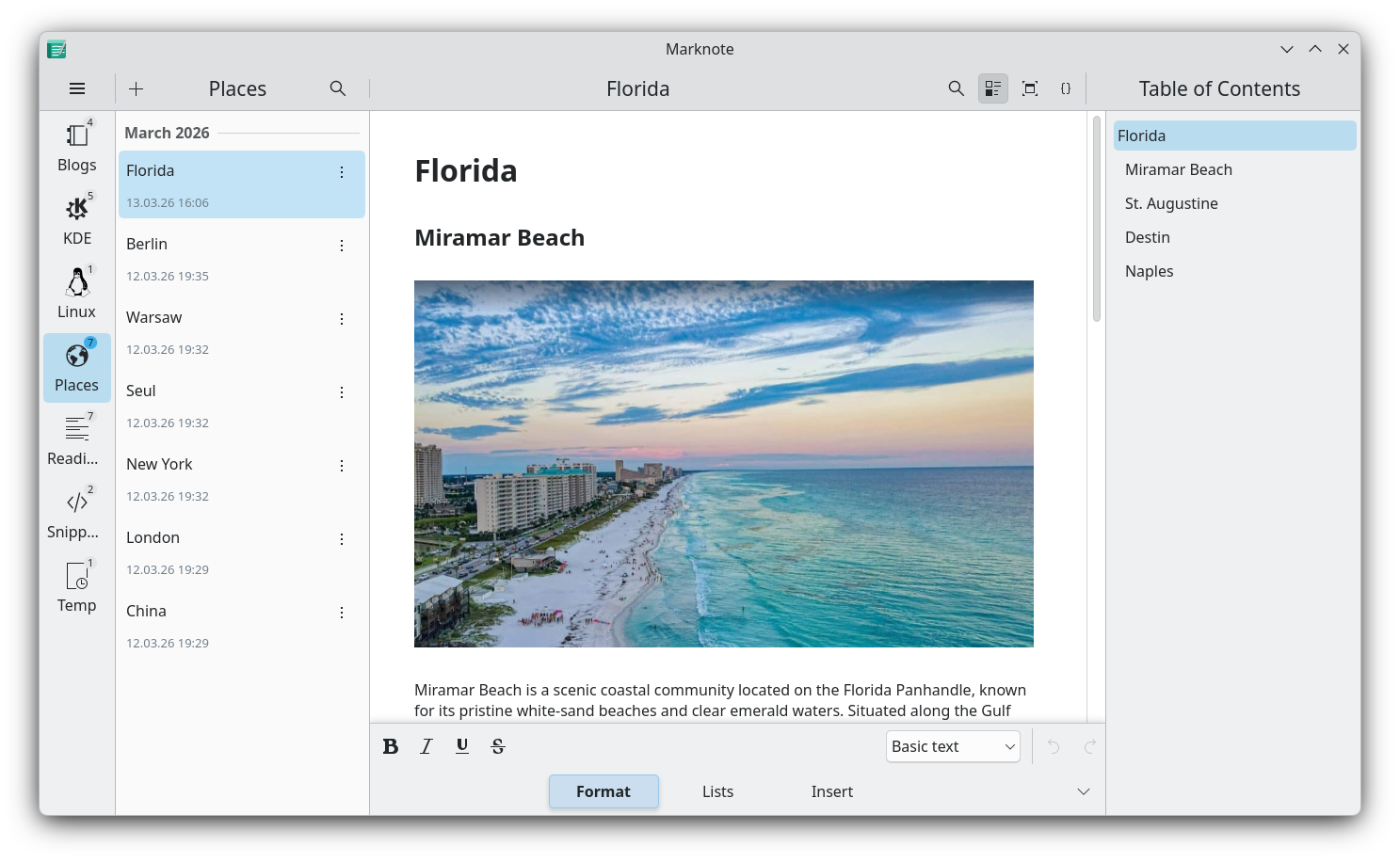
Here is a rundown of what we’ve added to this release.
Source Mode
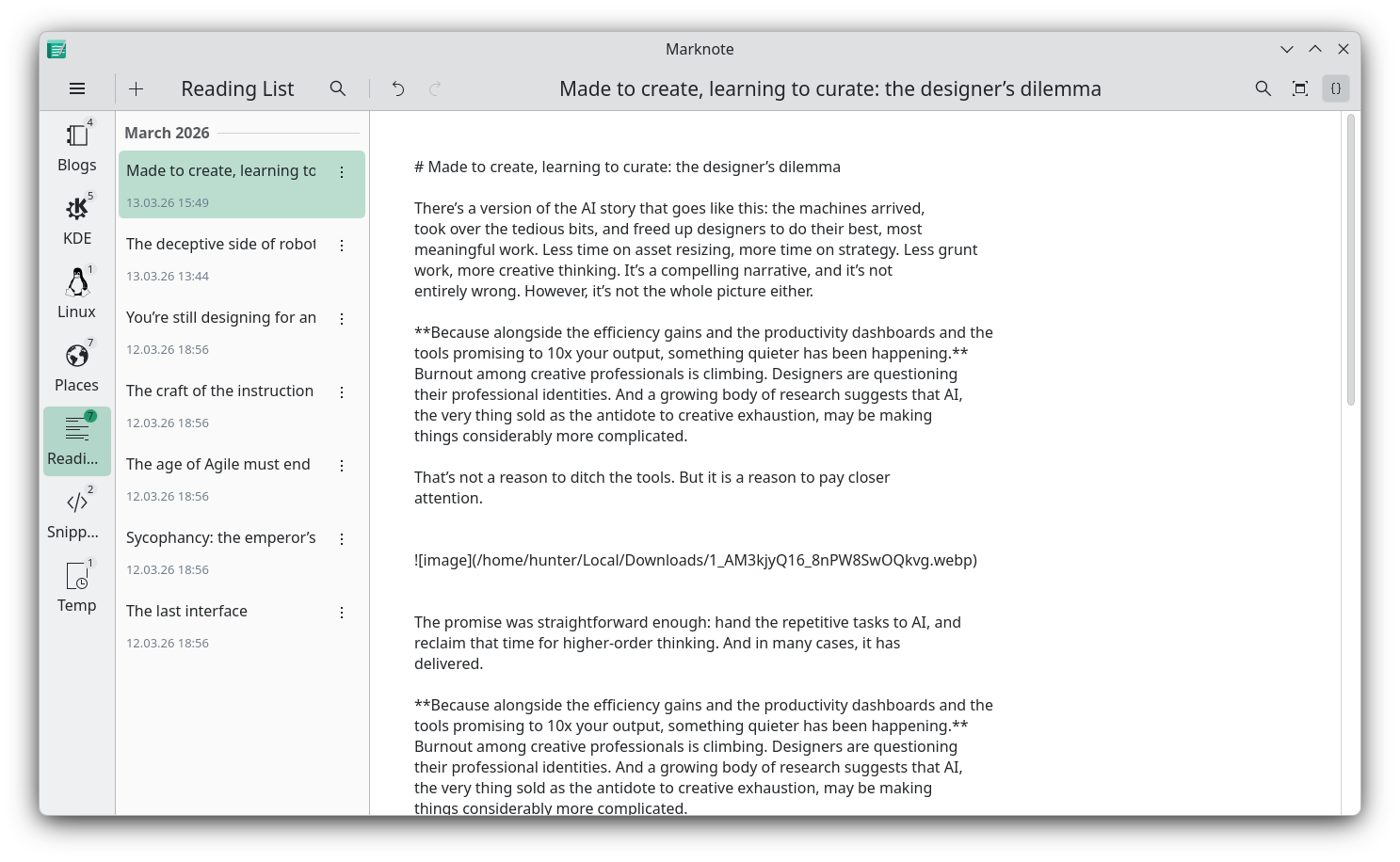
One of the most highly requested features is finally here: Source Mode. Thanks to some fantastic work from our Season of KDE (SoK) contributor, Siddharth Chopra, you can now bypass the rich-text WYSIWYG interface entirely. If you’re the type of person who prefers looking at the raw Markdown syntax while structuring your thoughts, you can now seamlessly toggle into a dedicated source editing view.
Note links
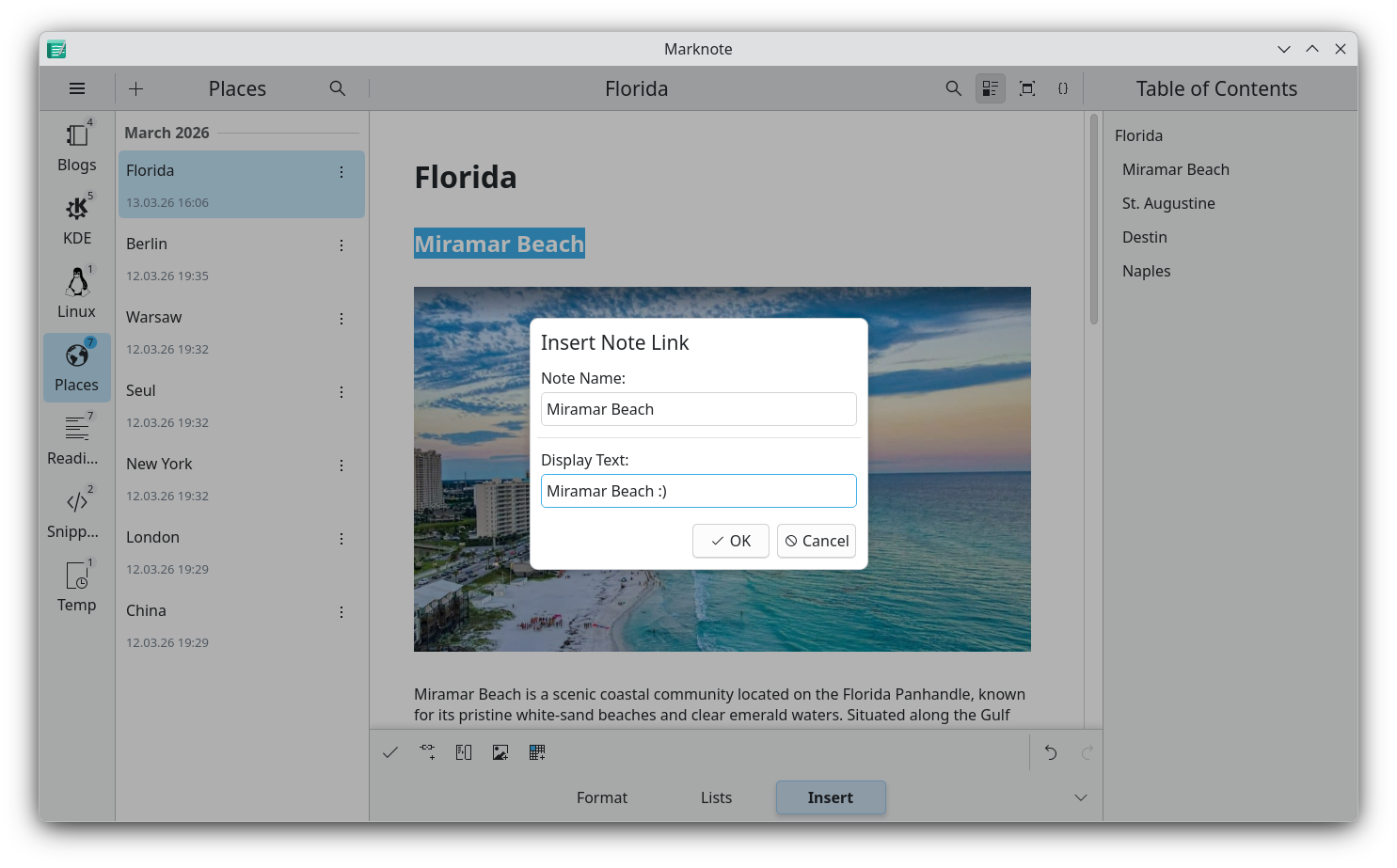
Notes are rarely isolated thoughts, so we’ve added internal wiki-style links with cross-notebook lookup. You can now easily link documents to one another, making it much simpler to build out a connected web of ideas.
Note management
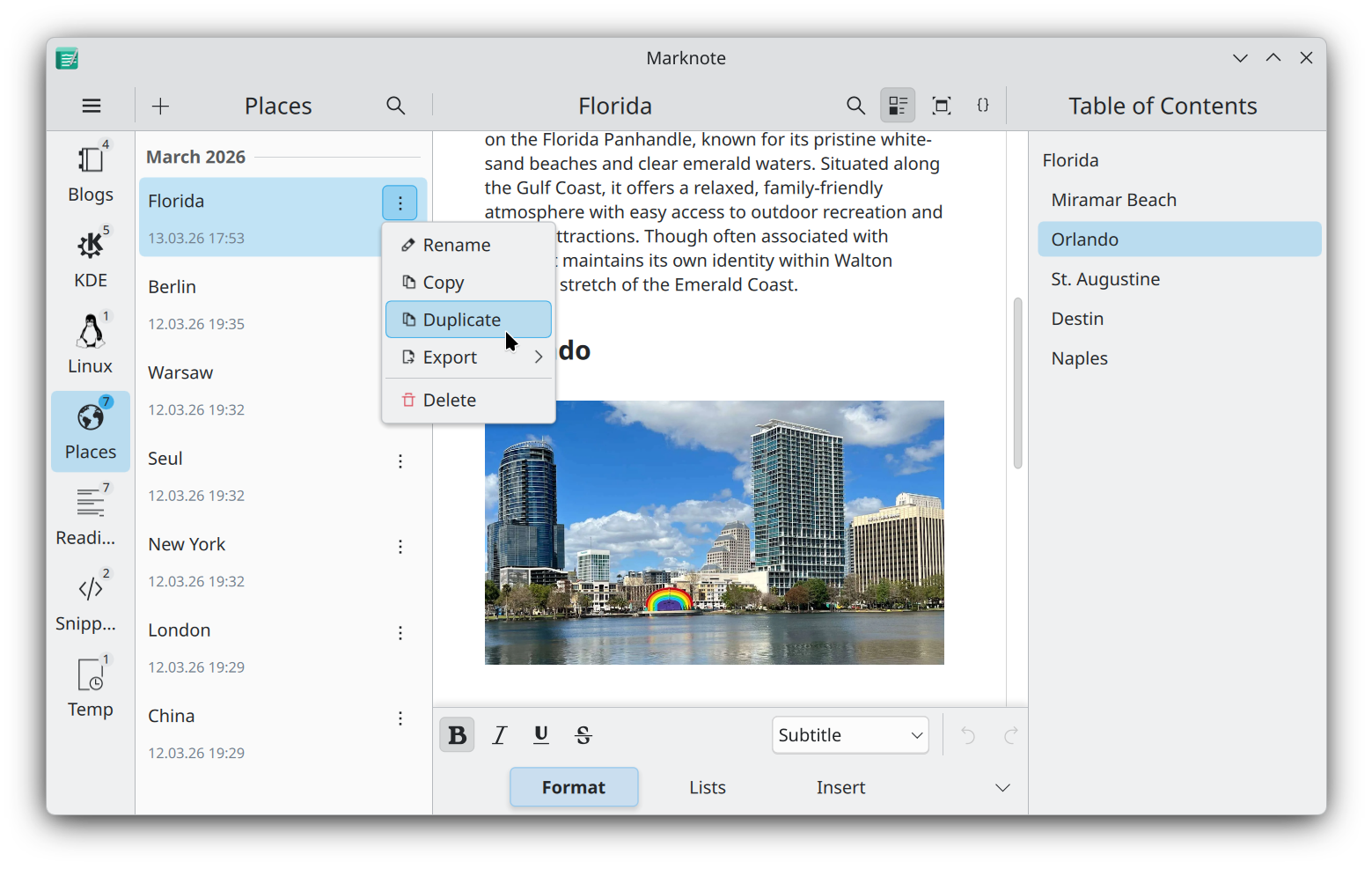
We made it easier to manage your growing number of notes. Each notebook will now show you how many notes it contains. If you need to move notes between notebooks, it is now easy to do that via drag and drop. And finally, we added a new “Duplicate Note” action to make it simple to create templates and copy existing notes.
KRunner plugin
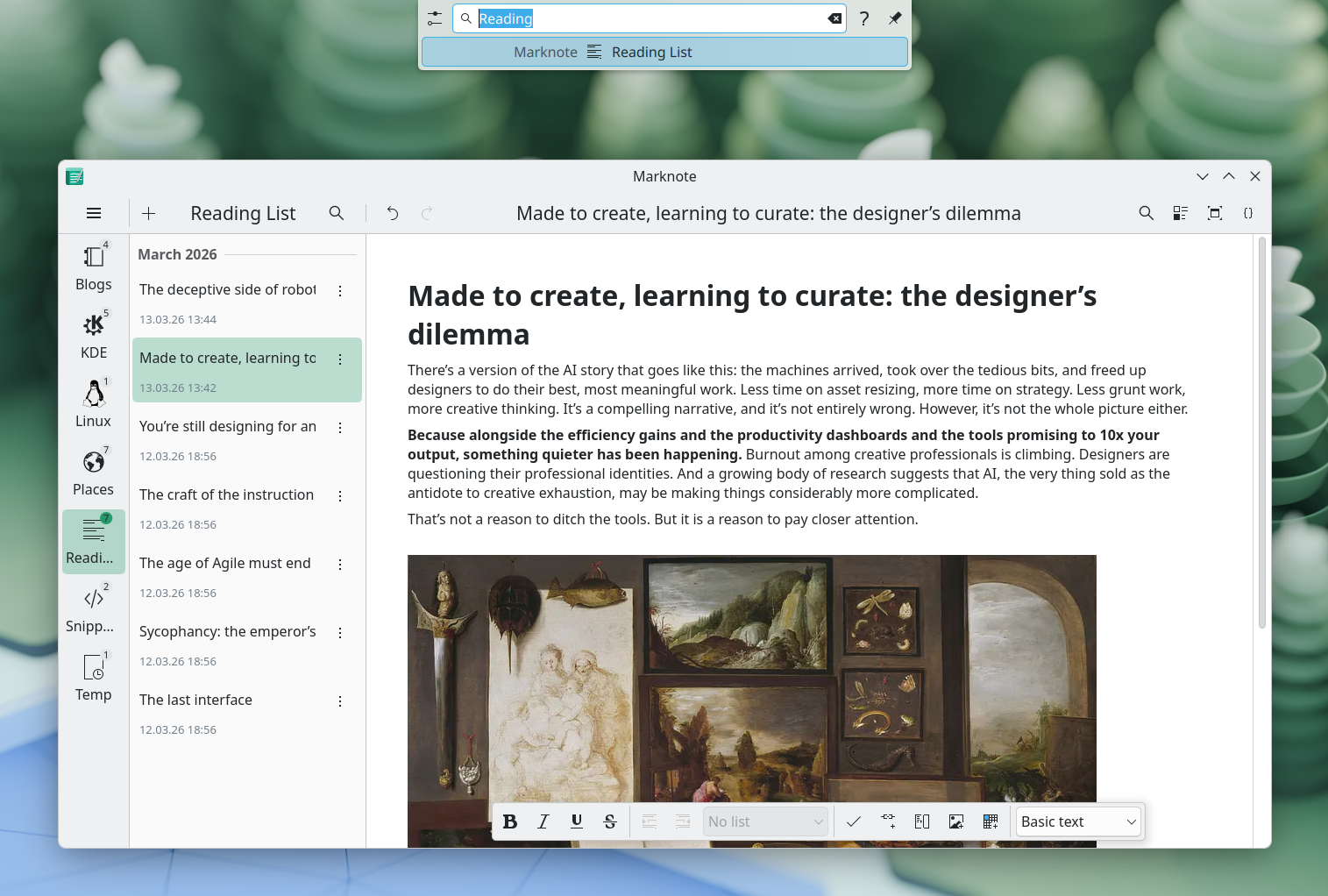
To help you get to those ideas faster, we also added a KRunner plugin. You don't even need to have Marknote open—just pull up KRunner on your Plasma desktop, type what you’re looking for, and jump straight into your note.
Search and replace
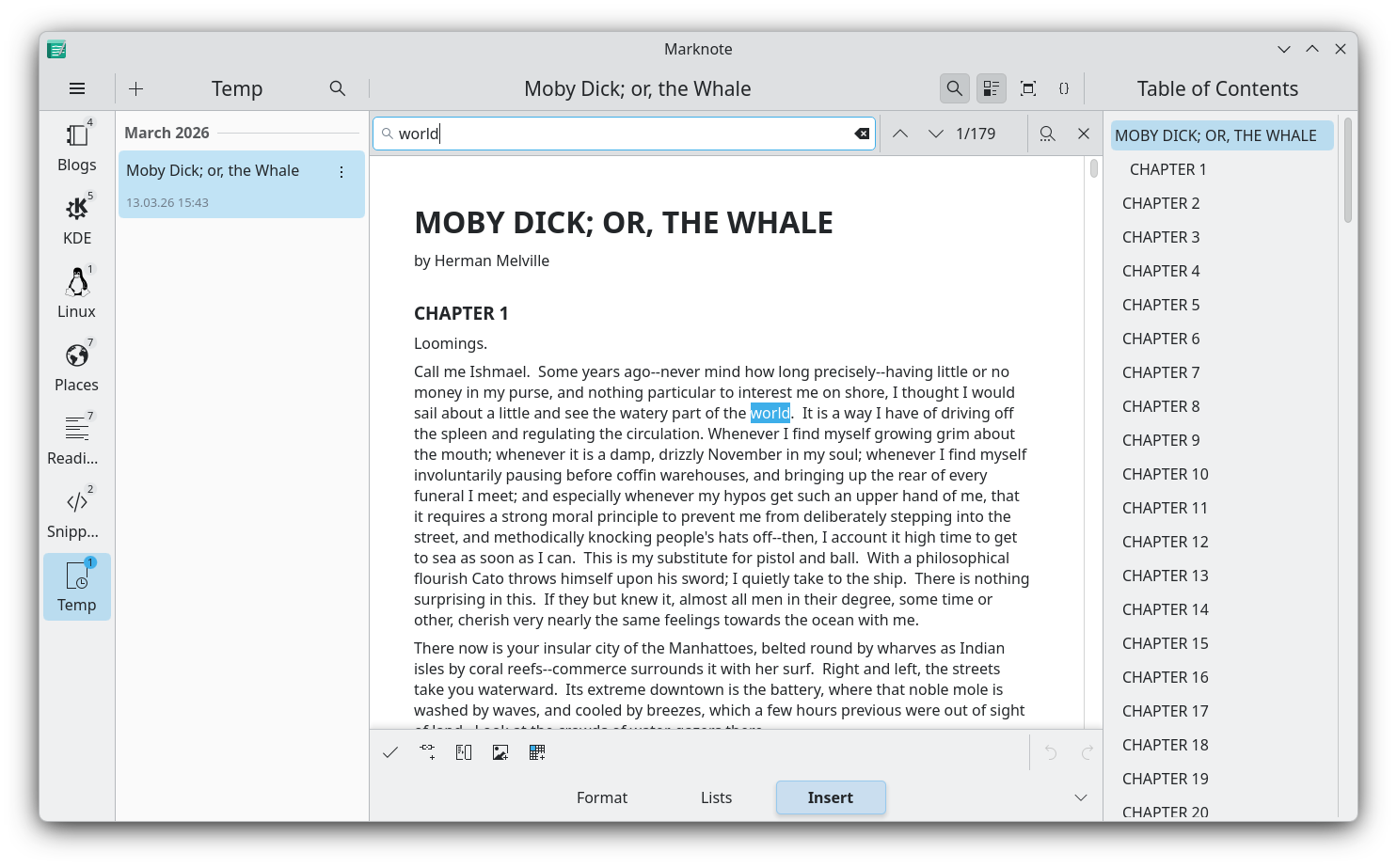
Full-text search and replace functionality is also here to make your life much easier.
UI polish and under-the-hood work
We added beautiful, all-new animations for note and notebook items, for the search bar, and brought back the smooth sidebar transitions to make navigation feel dynamic.
We added full Undo/Redo functionality to the Quick Sketch dialog.
We added several improvements to table formatting and actions to make managing grids much less frustrating.
On the technical side, we bumped our Kirigami Addons dependency to 1.11.0, fixed an annoying issue where opening a note updated its modification timestamp, and resolved a Flatpak bug that prevented notes from opening via file managers.
Try it out
Marknote 1.5 is rolling out now! You can grab it on Linux via Flatpak and Snapcraft. A massive thank you to everyone who contributed code, translations, and bug reports for this cycle. Happy note-taking!