This Week in KDE Apps
New Glaxnimate release, source mode in Marknote and S3 support in Dolphin
Welcome to a new issue of "This Week in KDE Apps"! Every week (or so) we cover as much as possible of what's happening in the world of KDE apps.
Office Applications
Marknote Write down your thoughts
It's been a busy week in Marknote again. Valentyn Bondarenko extensively reworked tables to fix rendering issues (office/marknote MR #143 and office/marknote MR #169).
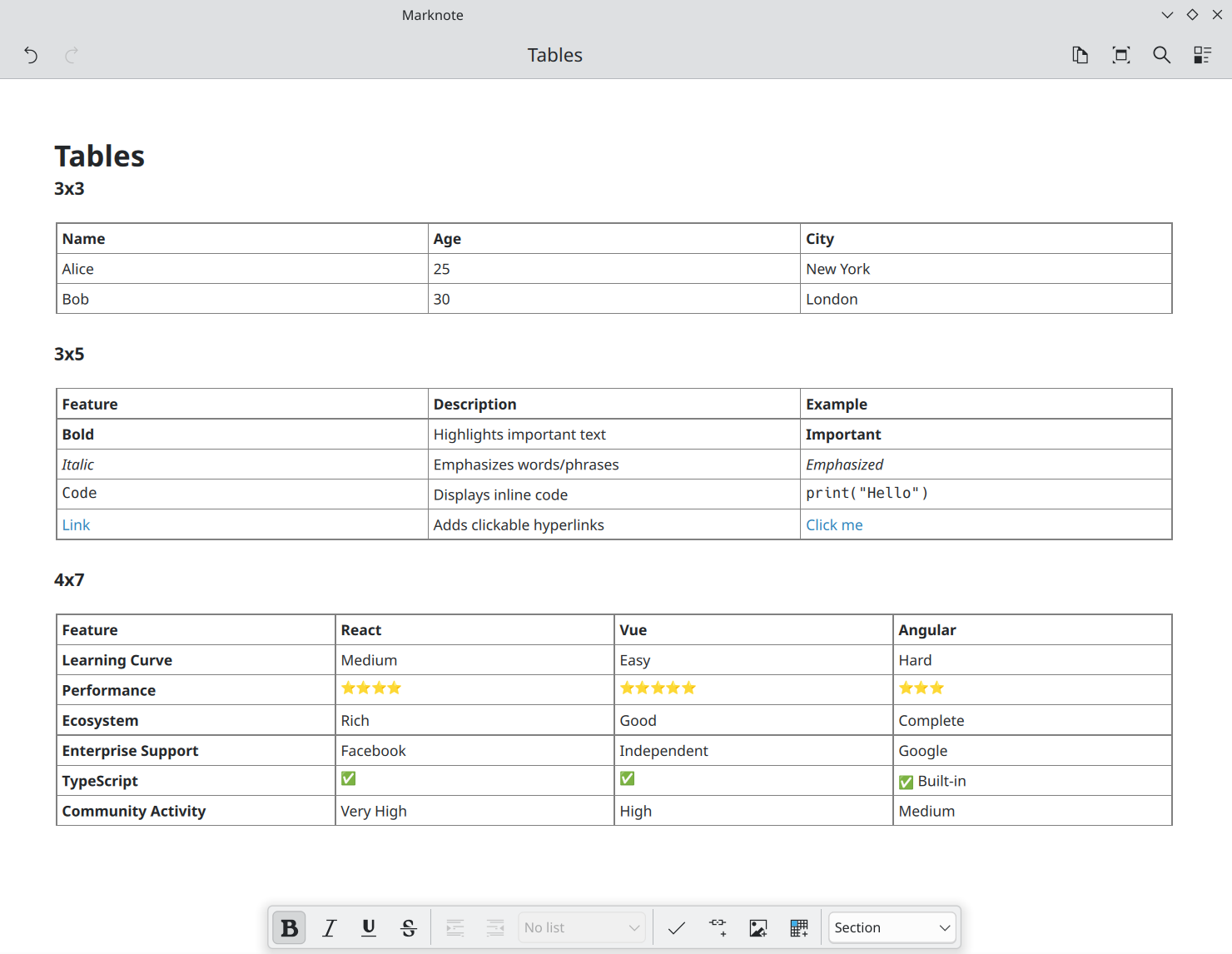
Valentyn Bondarenko also added a new dialog to add note links more easily (office/marknote MR #161) and added subtle animations to various parts of the UI (office/marknote MR #162 and office/marknote MR #168).
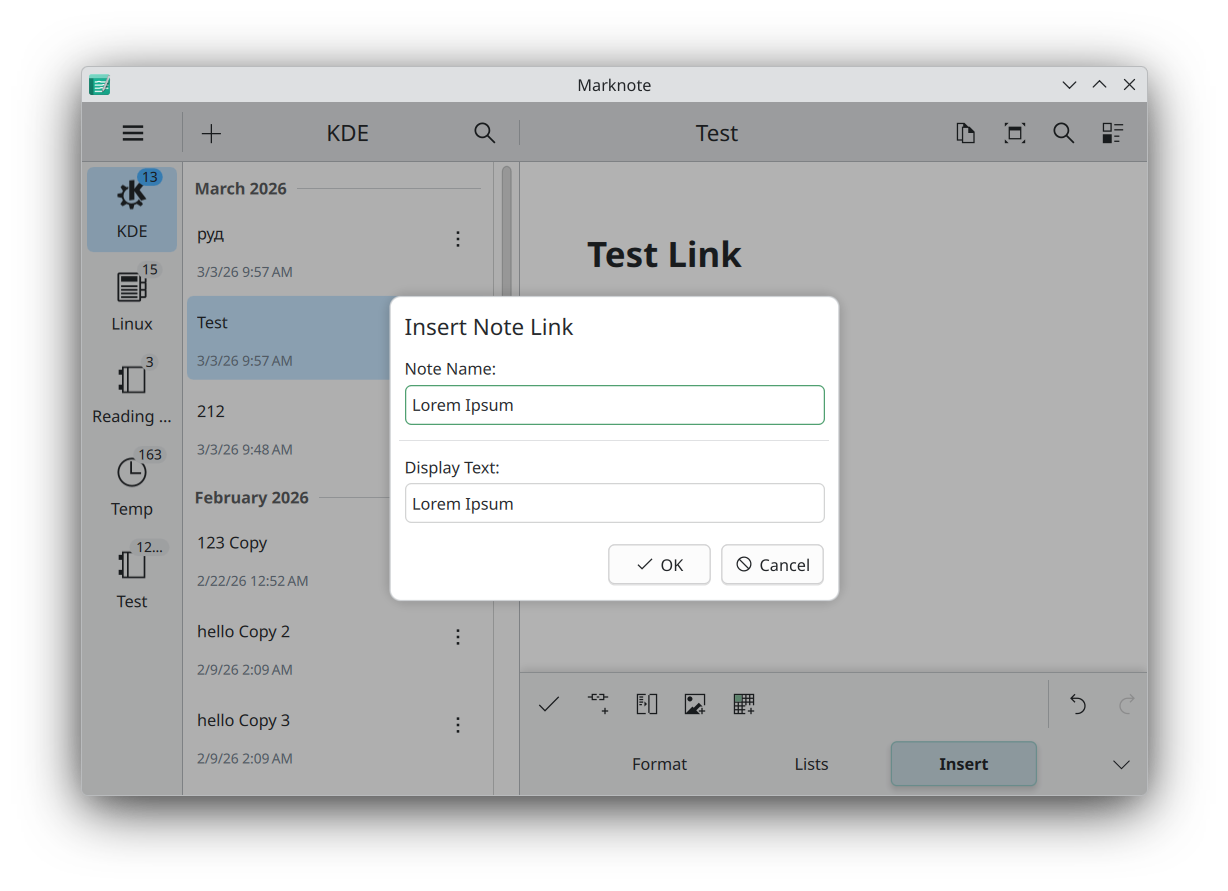
Shubham Shinde extended the search function of Marknote to also be able to replace text (office/marknote MR #154).
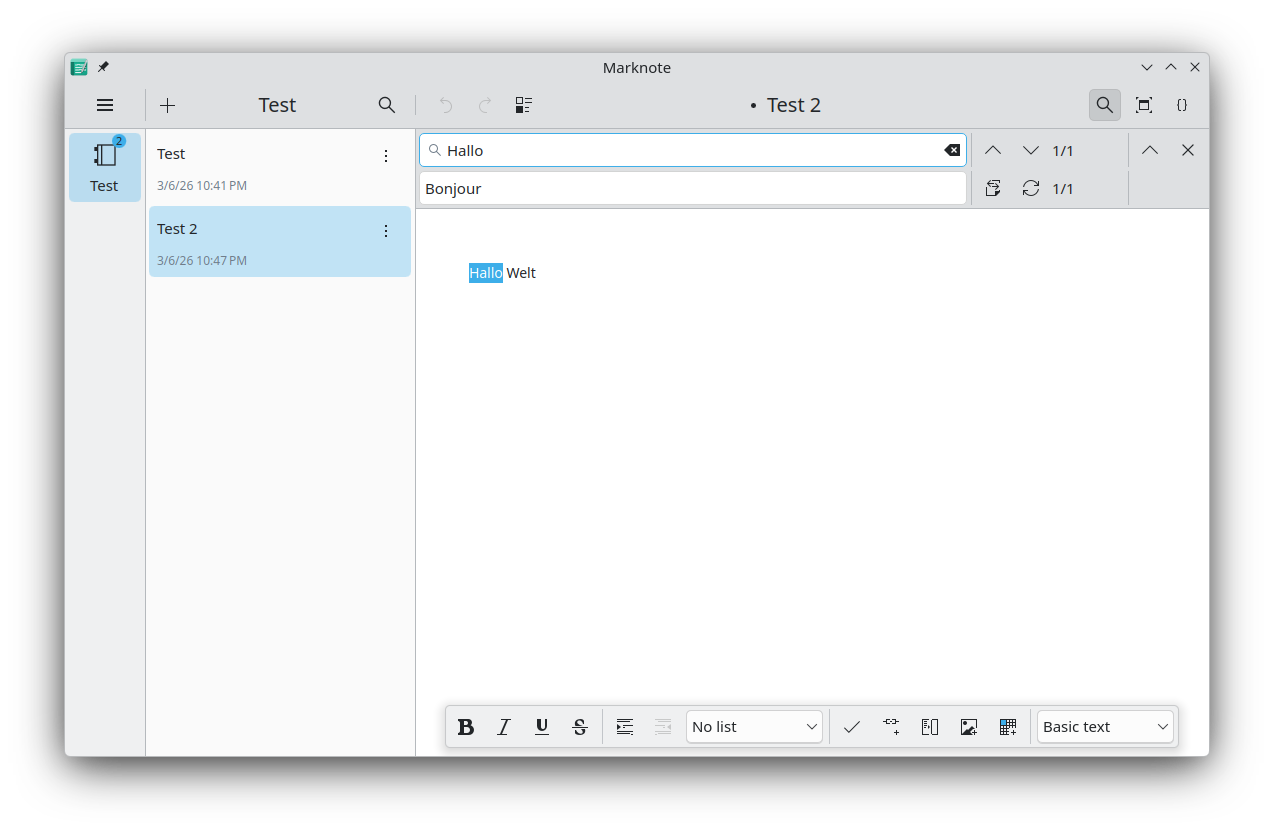
Siddharth Chopra added a source mode to Marknote, for people who prefer to edit Markdown using a plain text editor (office/marknote MR #118).
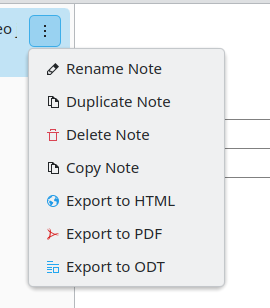
Carl Schwan improved the context menu, making it appear directly underneath the button and fixing some accessibility issues (office/marknote MR #166).
Finally, there was quite a bit of polish and refactoring done by the whole team in preparation for the release planned next week.
KMyMoney Personal finance manager based on double-entry bookkeeping
Ralf Habacker added a way to list all your unsaved reports and to delete multiple reports at the same time (office/kmymoney MR #322).
PIM Applications
Merkuro Calendar Manage your tasks and events with speed and ease
Yuki Joou redesigned the schedule view to be less crowded and more concise (pim/merkuro MR #573).
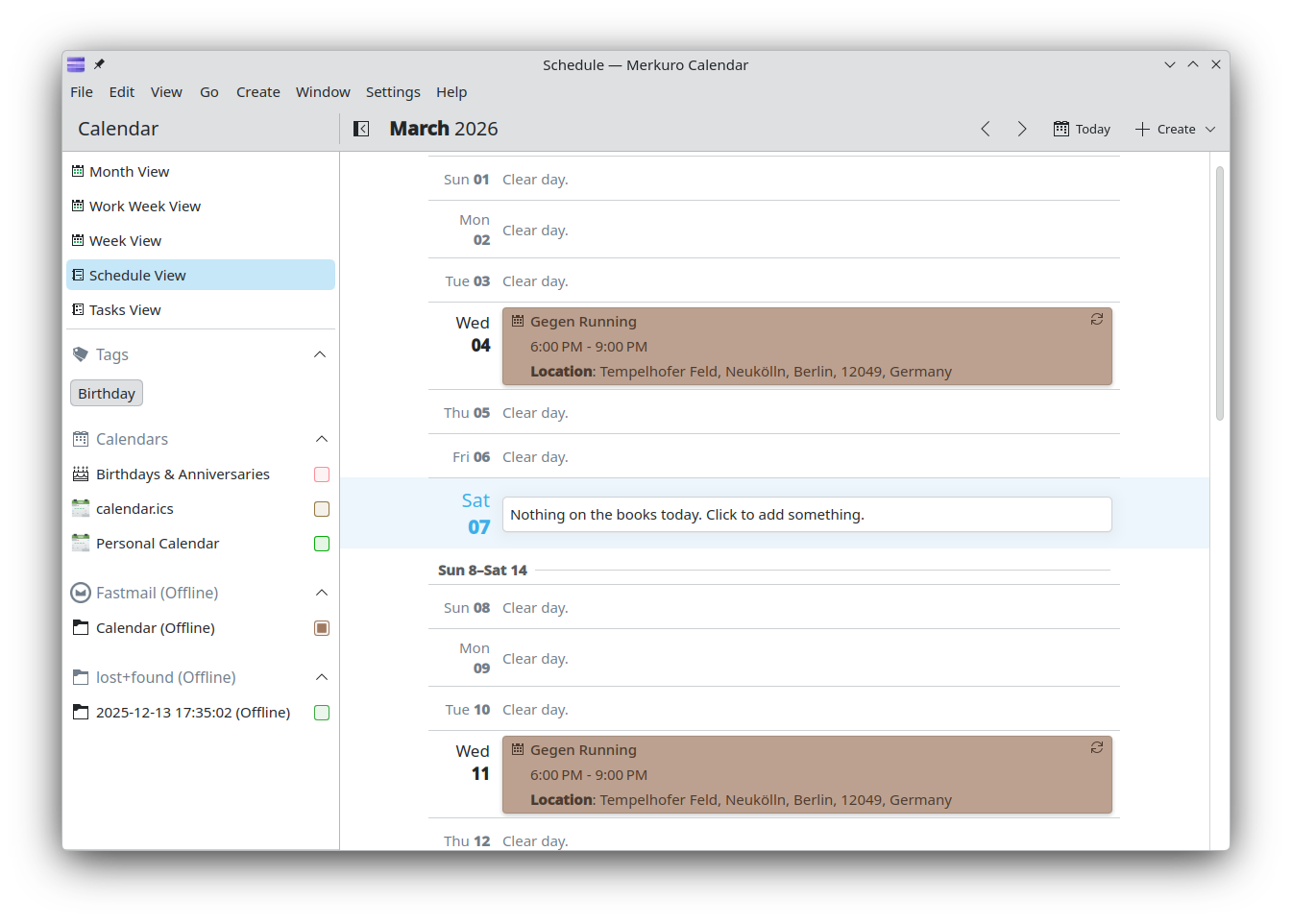
Yuki made it possible to set a start date also for tasks and not only for events (pim/merkuro MR #611). She also fixed the sort button state in the todo view (pim/merkuro MR #612), among other various small issues (pim/merkuro MR #579, pim/merkuro MR #609, pim/merkuro MR #610).
Zhora Zmeikin fixed a crash when editing or creating a new event (pim/merkuro MR #608).
Merkuro Mail Read and write emails
Yuki Joou also worked on Merkuro Mail and fixed various issues when sending emails (pim/merkuro MR #615).
Merkuro Contact Manage your contacts with speed and ease
Finally, Yuki added a way to copy phone numbers from a contact book entry easily (pim/merkuro MR #614).
KMail A feature-rich email application
Albert Astals Cid refactored how temporary files are stored so they are no longer stored in /tmp. This mostly helps in case multiple users use the same machine (pim/messagelib MR #334).
Kleopatra Certificate manager and cryptography app
Thomas Friedrichsmeier changed the font used by plain text email signatures in the Kleopatra and GpgOL.js email viewers to be monospaced, as many signatures depend on that (pim/mimetreeparser MR #91).
Creative Applications
Glaxnimate Vector Animation Editor
This week we celebrated the first release of Glaxnimate as part of KDE. Welcome to the family! The big highlights of this release are better integration with KDE in terms of theming, improvements in the animation timeline, and better SVG export and import. Read more in the full announcement.
In the development branch, Mattia Basaglia continued to improve Glaxnimate. This includes a brand new rendering engine based on ThorVG (graphics/glaxnimate MR #84). This means the rendering is now hardware accelerated, which is faster than the old QPainter-based renderer. Additionally, Mattia improved the backend (graphics/glaxnimate MR #86) and built an experimental WASM renderer based on it for the web (graphics/glaxnimate MR #87).
Multimedia Applications
KPhotoAlbum KDE image management software
Randall Rude updated the documentation (graphis/kphotoalbum MR #73).
Developers Applications
Kate Advanced text editor
Leia uwu fixed Kate so that when renaming a file, any open tabs with this file will also be updated accordingly (utilities/kate MR #2043).
KDevelop Featureful, plugin-extensible IDE for C/C++ and other programming languages
Martin Bednar added support for noexcept in the autocompletion model of KDevelop (kdevelop/kdevelop MR #858).
Network Applications
NeoChat Chat on Matrix
James Graham continued working this week on improving and polishing the new rich text editor in NeoChat (network/neochat MR #2730, network/neochat MR #2729, network/neochat MR #2722, ...)
Joshua Goins disabled the search feature in encrypted rooms as the server is not able to search in them (network/neochat MR #2724).
Kaidan Modern chat app for every device
Melvin Keskin improved the usability of the emoji picker and mentioning participants in a group chat (network/kaidan MR #1522).
System Applications
Dolphin Manage your files
Albert Mkhitaryan added keyboard shortcut support for service menu actions (system/dolphin MR #1167). So now you can assign a shortcut to the context menu actions provided by other applications or user scripts. See doc
Nicolai Sehrt added an option for forcing all tabs in Dolphin to have the same width (system/dolphin MR #1154). Méven Car also updated Dolphin so that, by default, tab widths are automatically determined by their title length (system/dolphin MR #1170).
Méven Car also centered most settings pages to be a bit more consistent with System Settings (system/dolphin MR #1192).
Nekto Oleg improved support for the S3 protocol in KIO-enabled applications like Dolphin. While S3 is commonly associated with Amazon Web Services (AWS), the implementation now also supports custom endpoints and is no longer limited to AWS-compatible services (network/kio-s3 MR #7, network/kio-s3 MR #8 and network/kio-s3 MR #9). Additionally, a new System Settings page makes it possible to configure multiple S3 providers at the same time (network/kio-s3 MR #9 and network/kio-s3 MR #10).

…And Everything Else
This blog only covers the tip of the iceberg! If you’re hungry for more, check out This Week in Plasma, which covers all the work being put into KDE's Plasma desktop environment every Saturday.
For a complete overview of what's going on, visit KDE's Planet, where you can find all KDE news unfiltered directly from our contributors.
Get Involved
The KDE organization has become important in the world, and your time and contributions have helped us get there. As we grow, we're going to need your support for KDE to become sustainable.
You can help KDE by becoming an active community member and getting involved. Each contributor makes a huge difference in KDE — you are not a number or a cog in a machine! You don’t have to be a programmer either. There are many things you can do: you can help hunt and confirm bugs, even maybe solve them; contribute designs for wallpapers, web pages, icons and app interfaces; translate messages and menu items into your own language; promote KDE in your local community; and a ton more things.
You can also help us by donating. Any monetary contribution, however small, will help us cover operational costs, salaries, travel expenses for contributors and, in general, keep KDE continue bringing Free Software to the world.
To get your application mentioned here, please ping us in invent or in Matrix.