This Month in KDE Apps
A lot of progress in Marknote and Drawy, a new homepage for Audiotube, and a rich text editor in NeoChat
Welcome to a new issue of "This WeekMonth in KDE Apps"! Every week (or so) we cover as much as possible of what's happening in the world of KDE apps.
It's been a while since the last issue, so I'll try my best to summarize all the big things that happened recently.
Office Applications
Marknote Write down your thoughts
A lot happened in Marknote. We released version 1.4.0 of Marknote, which contains a large number of bug fixes. It also includes a few new features. Siddharth Chopra implemented undo and redo in the sketch editor office/marknote MR #91 and Valentyn Bondarenko made it possible to drag and drop images inside Marknote office/marknote MR #90. Valentyn has also been busy fixing many bugs and improving the stability of Marknote.
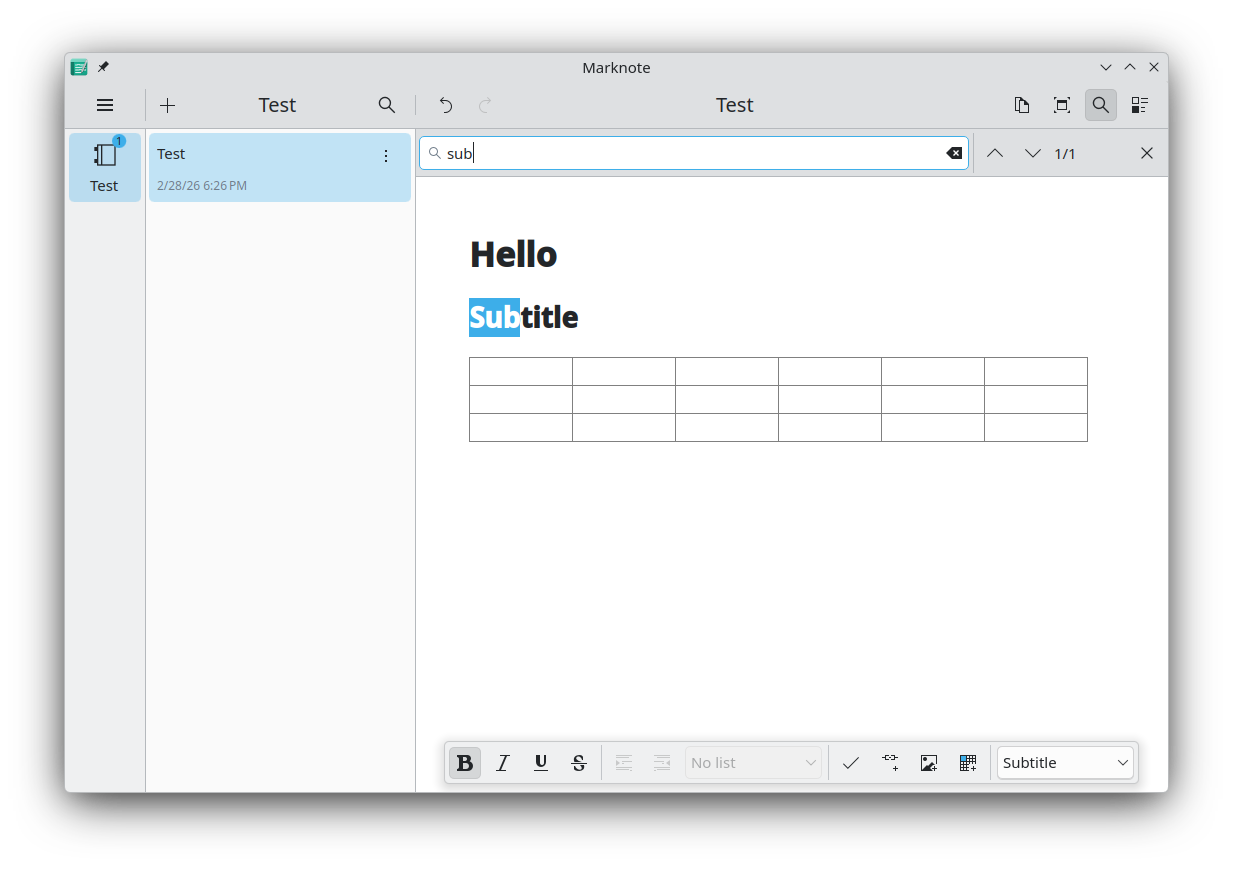
In the development branch even more happened. Shubham Shinde added a note counter to the notebook sidebar indicating the number of notes in each notebook office/marknote MR #110. Additionally, Shubham implemented text search inside a note office/marknote MR #109; drag-and-drop support for moving notes between notebooks office/marknote MR #111; internal wiki links between notebooks office/marknote MR #115; a table of contents panel office/marknote MR #112; and a button to copy the whole note content office/marknote MR #108.
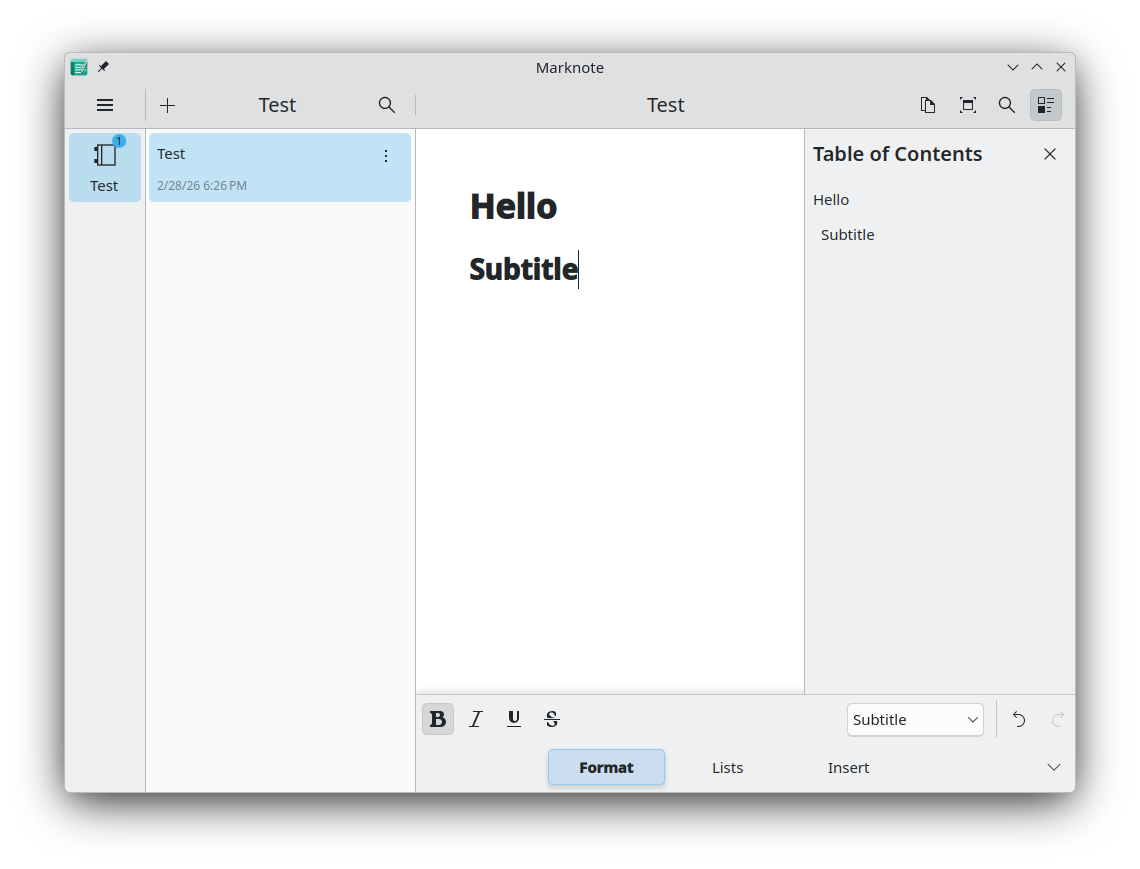
Valentyn Bondarenko further improved the drag-and-drop support for images, which now supports multiple images at once office/marknote MR #104; made image loading async office/marknote MR #99; ported some custom FormCardDelegates to the newer standardized delegates now available in Kirigami Addons office/marknote MR #144 office/marknote MR #122; added support for code blocks office/marknote MR #146 and block quotes office/marknote MR #142; significantly improved support for tables office/marknote MR #143; and delivered an even bigger list of bug fixes, code refactoring, and UI polish.
A new release should follow soon :)
Drawy Your handy, infinite brainstorming tool
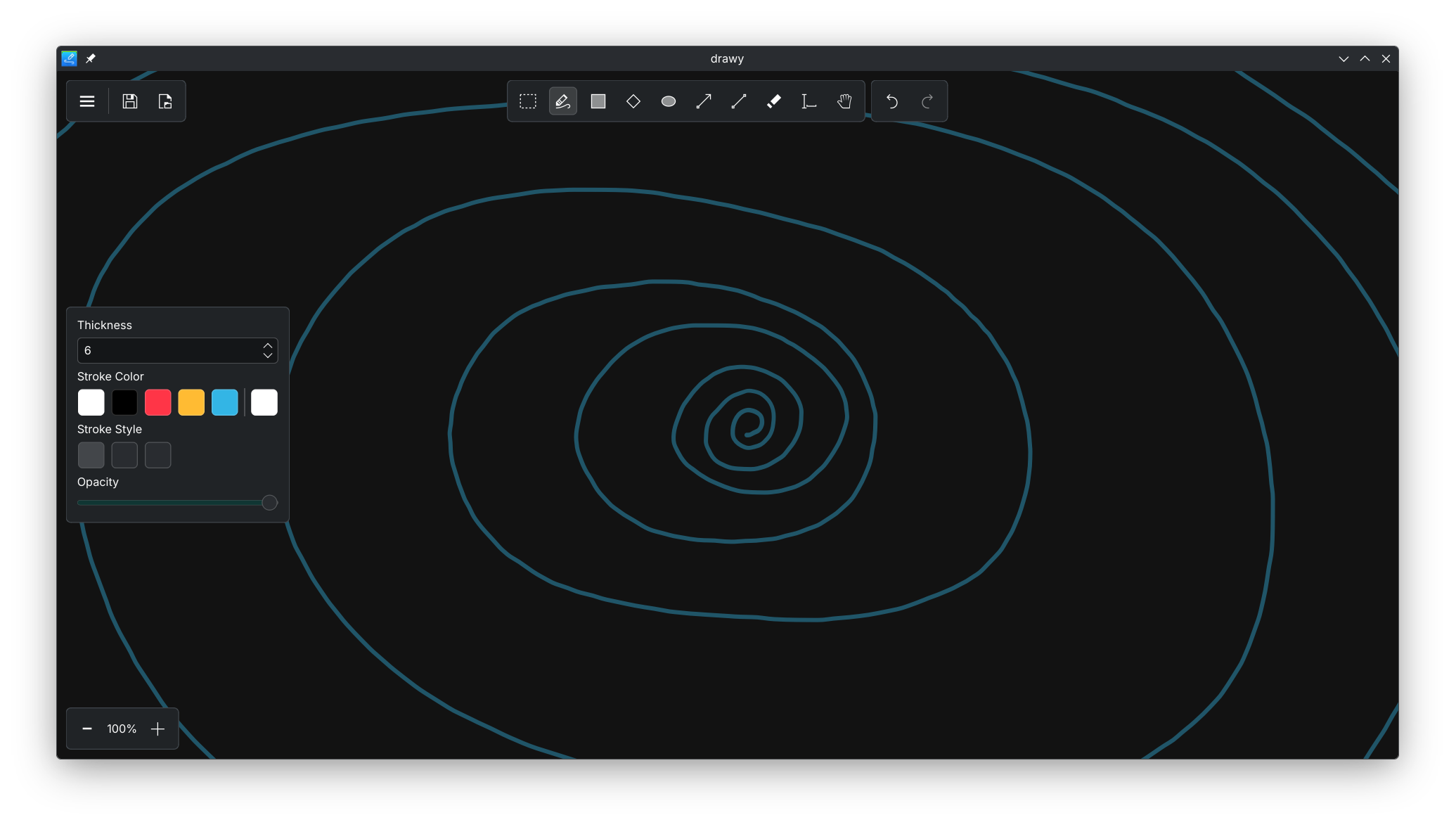
Drawy saw a massive wave of improvements and new features this month. Prayag delivered a major UI overhaul that includes a new hamburger menu graphics/drawy MR #295; improved zoom and undo/redo controls graphics/drawy MR #193; and a more uniform appearance across the app. He also improved the saving mechanism to correctly remember the last used file graphics/drawy MR #345.
Laurent Montel was busy expanding the app's core capabilities, implementing a brand-new plugin system to make adding new tools much easier graphics/drawy MR #352; Laurent also added a color scheme menu to switch themes graphics/drawy MR #372, and introduced the ability to customize keyboard shortcuts.
Nikolay Kochulin greatly enhanced how you interact with content, adding support for styluses with erasers and the ability to export your finished canvas to SVG graphics/drawy MR #258; Nikolay also made bringing media into Drawy a breeze by adding support for copying and pasting items, pasting images directly graphics/drawy MR #285, and dragging and dropping content straight onto the canvas graphics/drawy MR #322.
Finally, Abdelhadi Wael polished the visual experience by making the canvas background automatically detect and respect the system's current light or dark mode theme graphics/drawy MR #380.
Okular View and annotate documents
Jaimukund Bhan added a setting to open the last viewed page when reopening a document graphics/okular MR #1324.
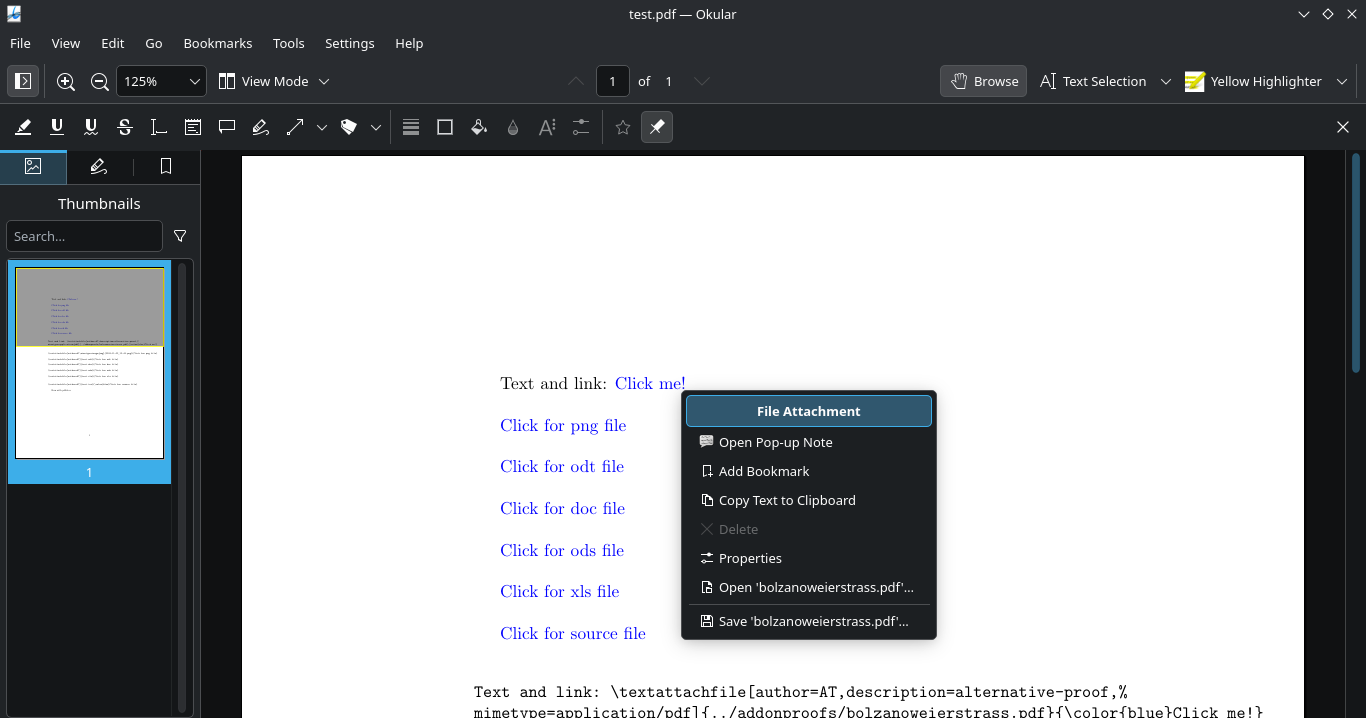
Ajay Sharma made it possible to open embedded file attachments in Okular graphics/okular MR #1312.
Travel Applications
KDE Itinerary Digital travel assistant
Carl Schwan modernized some dialogs to be more convergent using Kirigami Addons' ConvergentContextMenu pim/itinerary MR #413.
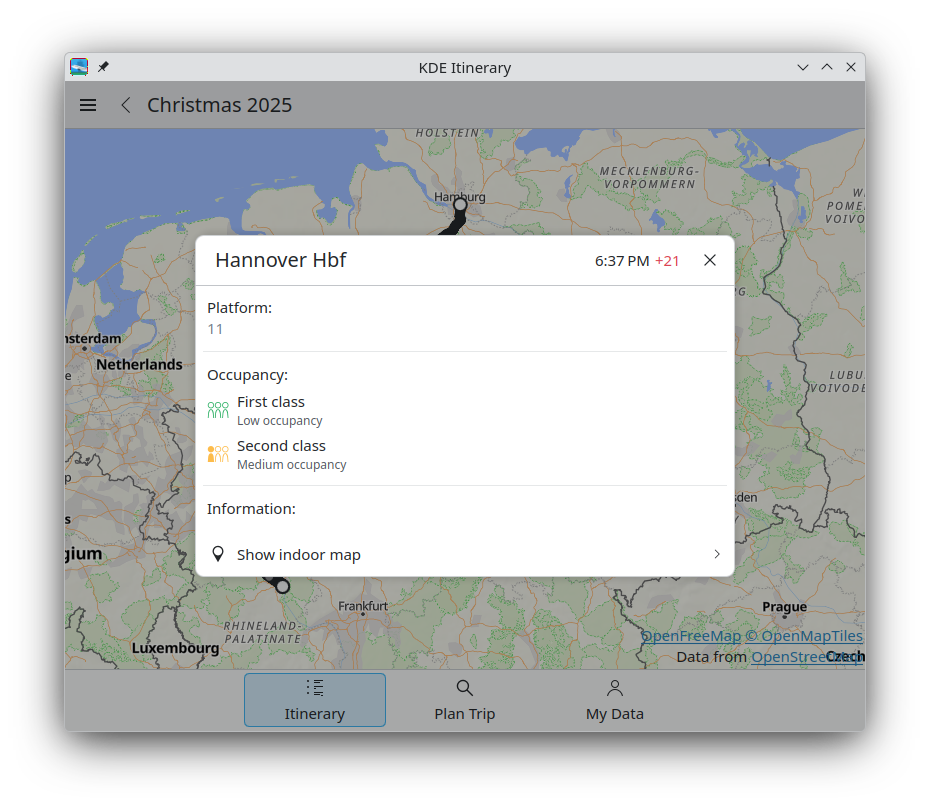
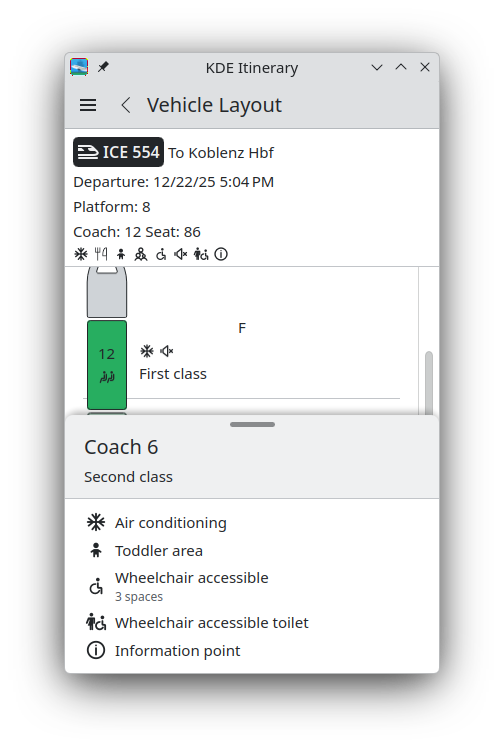
As always, there were also improvements in terms of ticket support. Carl Schwan improved support for Hostel World, GetYourGuide, and FRS ferries. Volker Krause improved support for FCM flights and French TER. Tobias Fella added support for Gomus annual tickets.
Volker Krause also posted a blog post about all the other improvements in the Itinerary/Transitous ecosystem.
PIM Applications
Akonadi Background service for KDE PIM apps
We removed support for Kolab. If you are using Kolab with KMail, you will need to reconfigure your account with a normal IMAP/DAV account pim/kdepim-runtime MR #154.
We also switched the default database backend to SQLite for new installations pim/akonadi MR #311.
Merkuro Calendar Manage your tasks and events with speed and ease
Zhora Zmeikin fixed a crash when editing or creating a new incidence (25.12.3 - pim/merkuro MR #608).
Yuki Joou fixed various small issues in Merkuro Calendar (25.12.3 - pim/merkuro MR #610, pim/merkuro MR #611, pim/merkuro MR #609, pim/merkuro MR #579).
Merkuro Mail Read and write emails
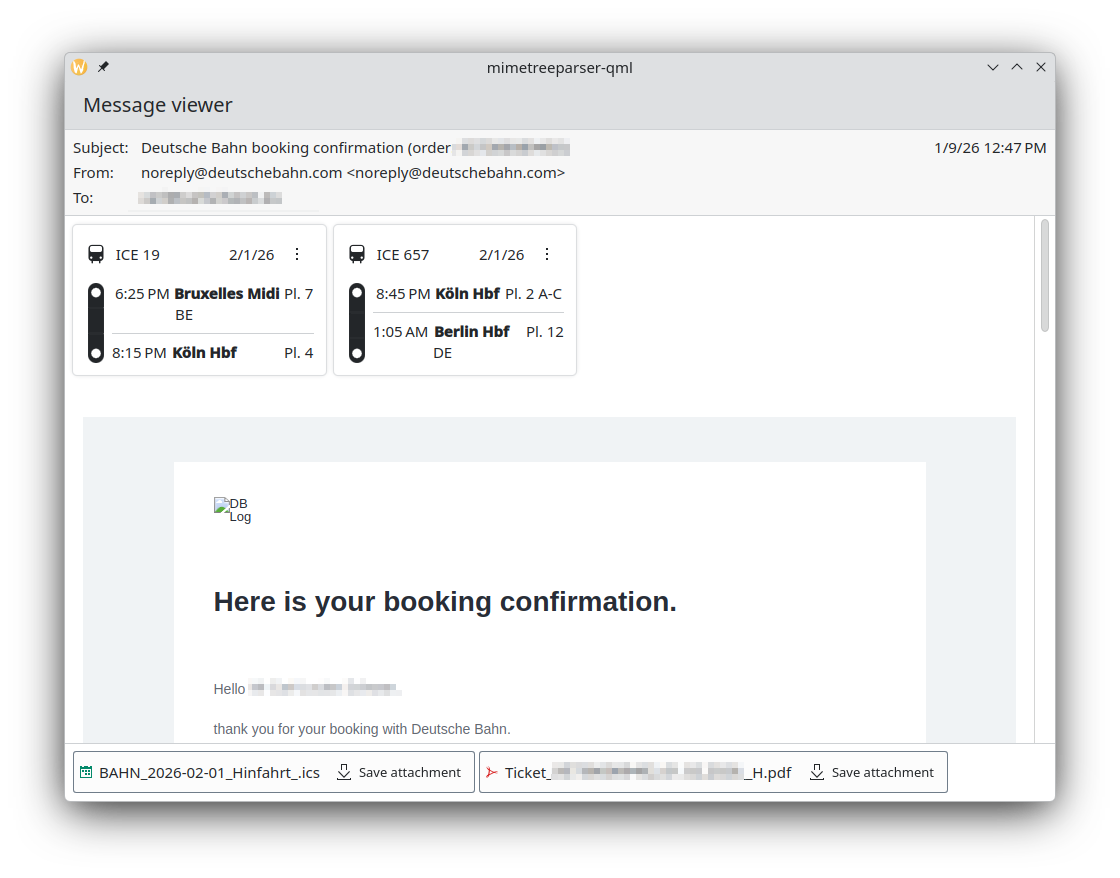
Carl Schwan added basic support for displaying travel reservations in the mail view pim/mimetreeparser MR #90.
Creative Applications
Kdenlive Video editor
Swastik Patel and Jean-Baptiste Mardelle added support for showing animated previews in the transition list (26.04.0 - multimedia/kdenlive MR #816).
Multimedia Applications
Photos Image Gallery
Valentyn Bondarenko added support for the standard zoom-in and zoom-out shortcuts in Photos (26.04.0 - graphics/koko MR #267).
Kasts Podcast application
Bart De Vries refactored the sync engine to be a bit more efficient (26.04.0 - multimedia/kasts MR #315 multimedia/kasts MR #305).
AudioTube YouTube Music app
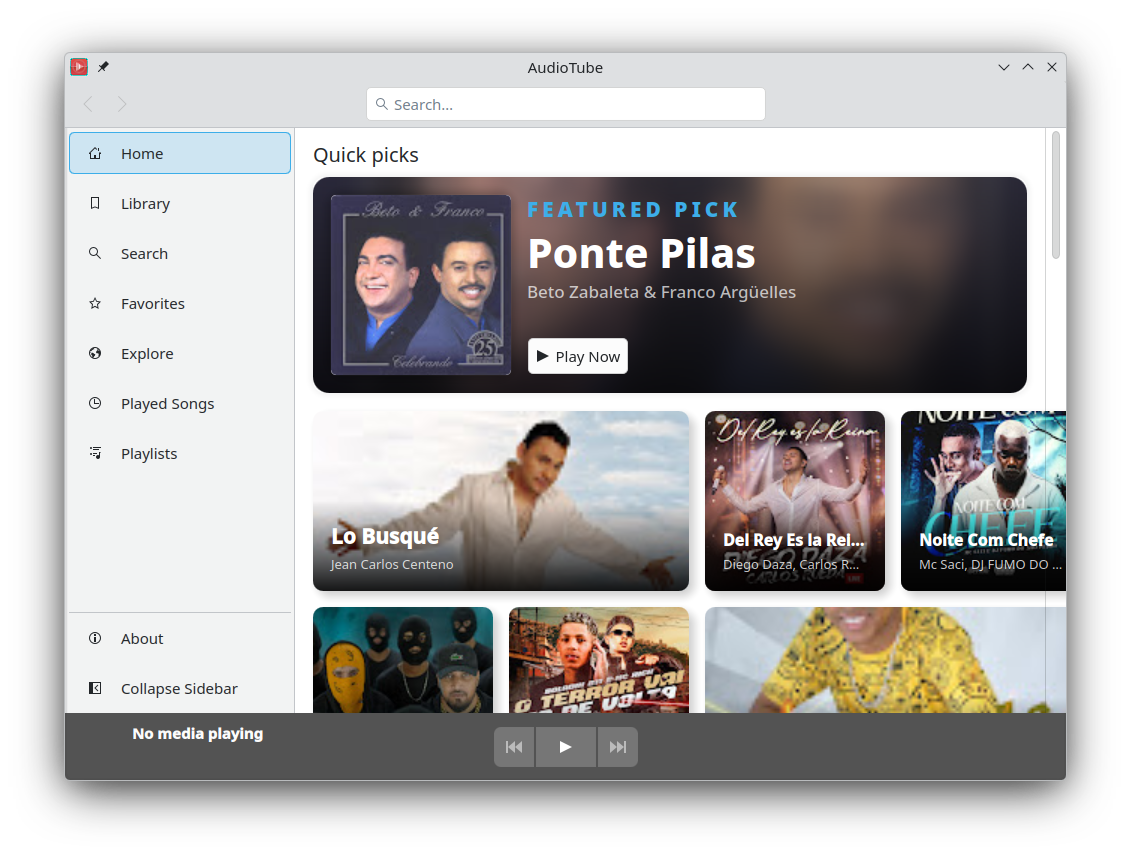
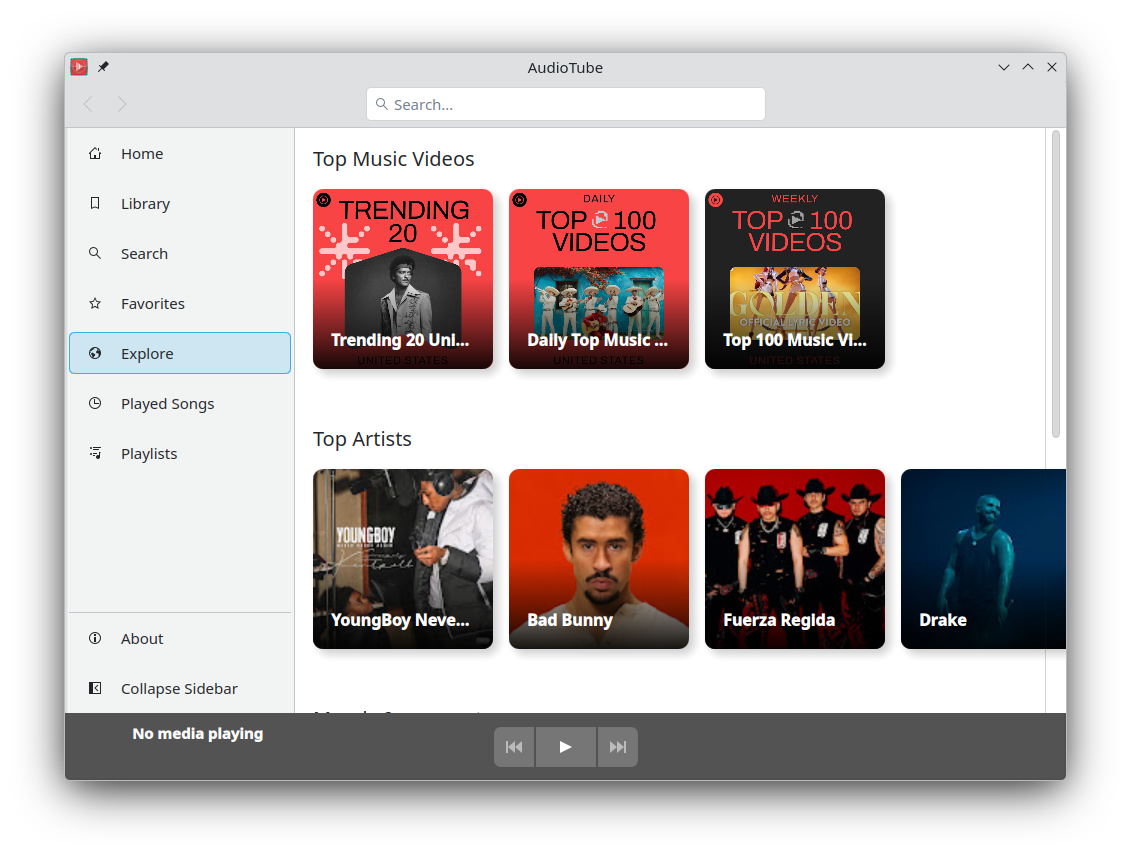
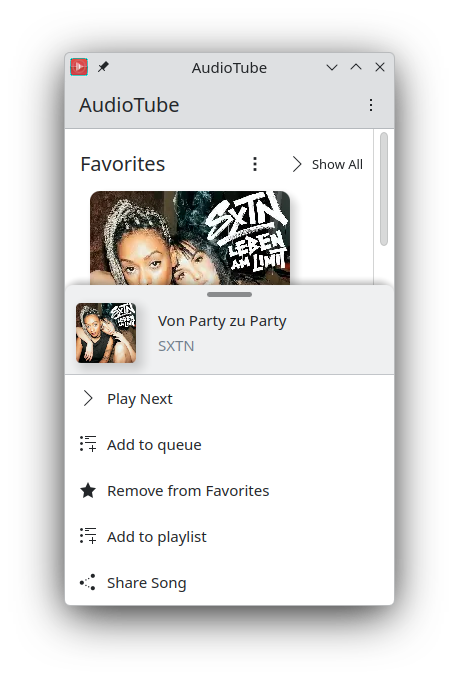
Carl Schwan added a home and explore pages to Audiotube (multimedia/audiotube MR #179) and ported the convergent context menu to the standardized one in Kirigami Addons.
Utilities Applications
Kate Advanced text editor
Leia uwu added a way to clear the search history (26.04.0 - utilities/kate MR #2044).
KomoDo Work on To-Do lists
Akseli Lahtinen released Komodo 1.6.0 utilities/komodo MR #72. This release adds Markdown-style inline links, fixes some parsing issues, and removes the monospace font from tasks.
Clock Keep time and set alarms
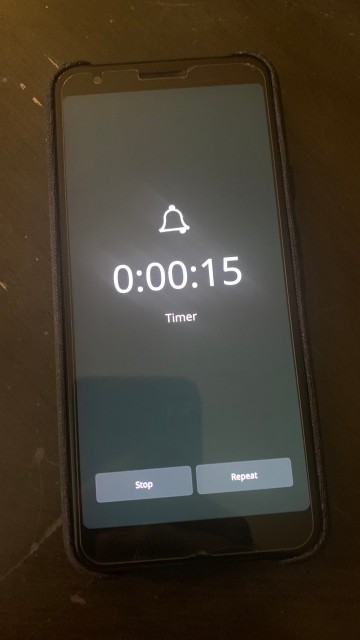
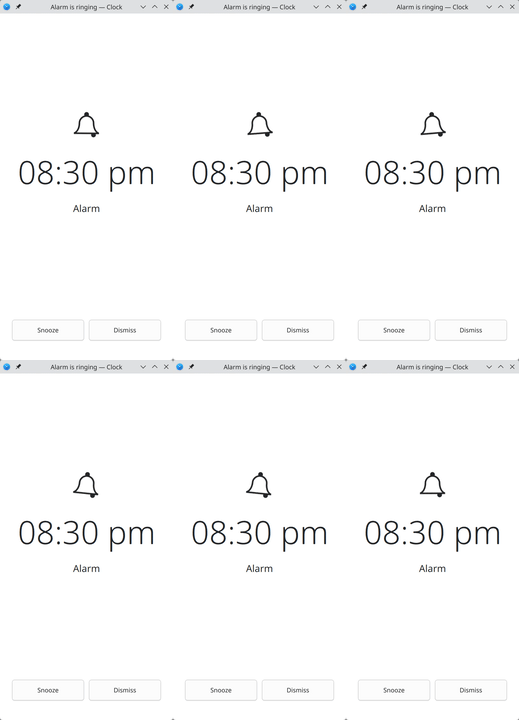
Micah Stanley added a lockscreen overlay for the timer utilities/kclock MR #244 and improved the existing one for the alarms utilities/kclock MR #243.
Network Applications
NeoChat Chat on Matrix
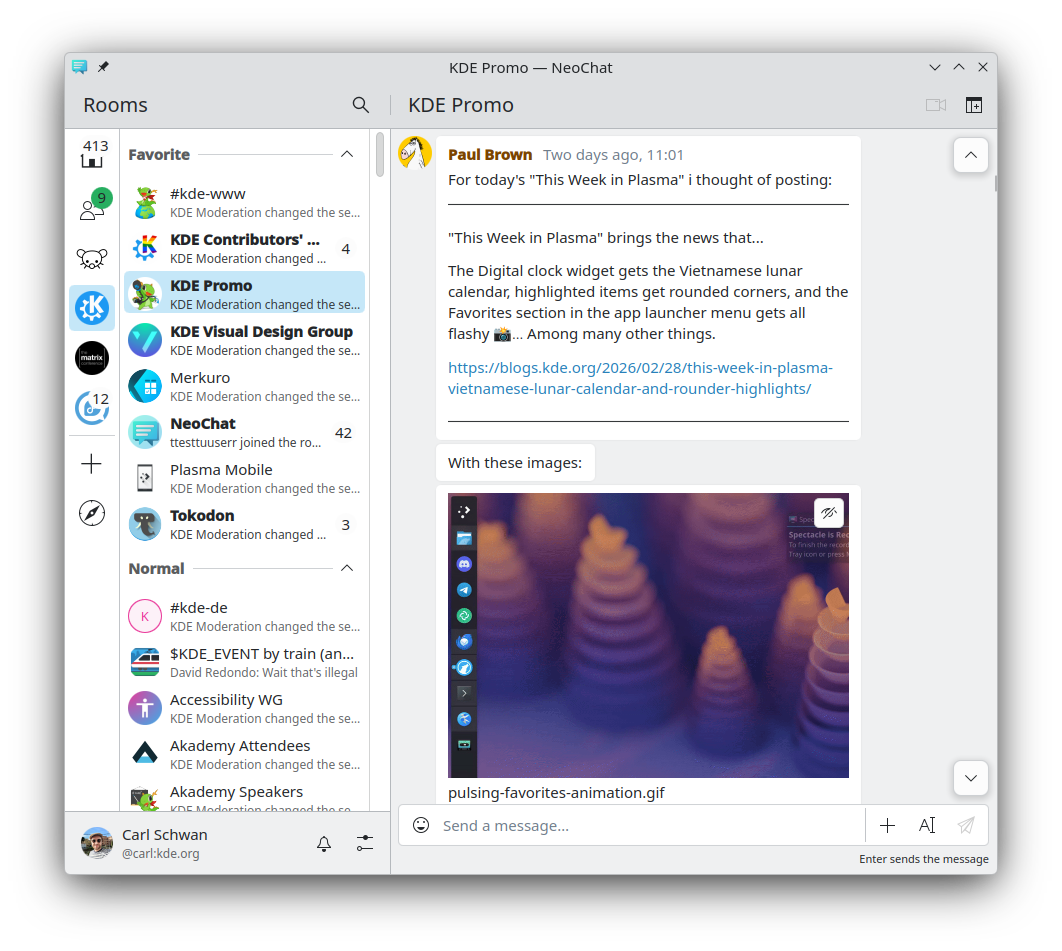
James Graham rewrote the text editor of NeoChat to be a powerful rich text editor (network/neochat MR #2488). James also marked threading as ready, and this feature is no longer hidden behind a feature flag (network/neochat MR #2671); improved the avatar settings (network/neochat MR #2727); and, as always, delivered a lot of polishing all around the place.
Joshua Goins improved the messaging around various encryption key options (network/neochat MR #2687).
Tokodon Browse the Fediverse
Aleksander Szczygieł fixed replying to posts with multiple mentions (network/tokodon MR #796).
System Applications
Journald Browser Browser for journald databases
Andreas Cord-Landwehr introduced a common view for system and user unit logs (system/kjournald MR #79).
Supporting libraries
Kirigami Addons 1.12.0
Carl Schwan released Kirigami Addons 1.12.0.
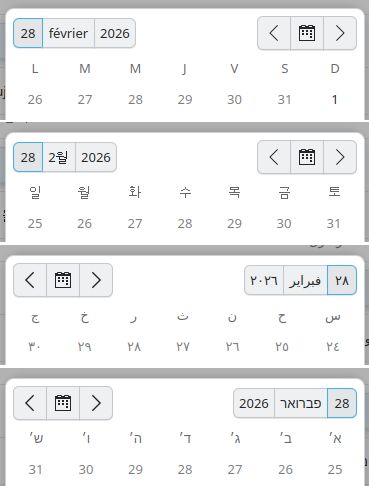
George Florea Bănuș added some missing description and trailing properties to a few of the FormCard delegate components (libraries/kirigami-addons MR #421, libraries/kirigami-addons MR #410). Carl Schwan made the configuration dialog modal (libraries/kirigami-addons MR #419). Hannah Kiekens fixed the templates for KAppTemplate (libraries/kirigami-addons MR #434). Volker Krause made the date and time picker locale-aware and fixed some issues with RTL layouts (libraries/kirigami-addons MR #431).
…And Everything Else
This blog only covers the tip of the iceberg! If you’re hungry for more, check out This Week in Plasma, which covers all the work being put into KDE's Plasma desktop environment every Saturday.
For a complete overview of what's going on, visit KDE's Planet, where you can find all KDE news unfiltered directly from our contributors.
Get Involved
The KDE organization has become important in the world, and your time and contributions have helped us get there. As we grow, we're going to need your support for KDE to become sustainable.
You can help KDE by becoming an active community member and getting involved. Each contributor makes a huge difference in KDE — you are not a number or a cog in a machine! You don’t have to be a programmer either. There are many things you can do: you can help hunt and confirm bugs, even maybe solve them; contribute designs for wallpapers, web pages, icons and app interfaces; translate messages and menu items into your own language; promote KDE in your local community; and a ton more things.
You can also help us by donating. Any monetary contribution, however small, will help us cover operational costs, salaries, travel expenses for contributors and, in general, keep KDE continue bringing Free Software to the world.
To get your application mentioned here, please ping us in invent or in Matrix.