Restoration of docs.kde.org
Edit 25/01/2026 documentation.yml is no more used, the documentation is built and published as part of the linux.yml and linux-qt6.yml pipelines. The post is updated to take this in account.
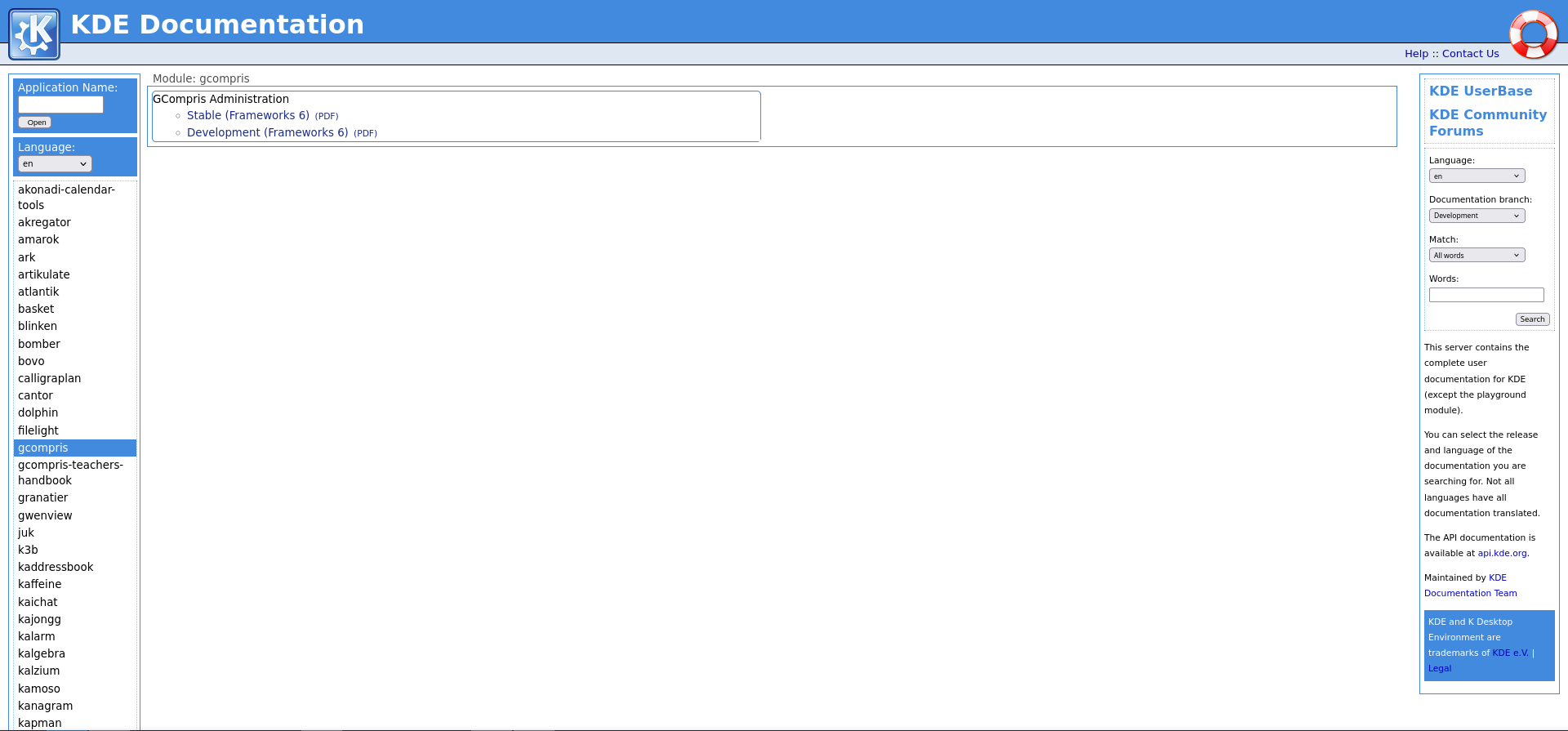
For the past few years, generation of user documentation at docs.kde.org was not working. After a few months on working on the related issue, we finally managed to make it functional again and it once again displays the documentation for almost 150 applications!
Previous issues
There were major issues with the previous workflow:
- The documentation generation and publication were done on a dedicated machine.
- It was a monolithic process: the generation of the documentation for all KDE projects was followed with the generation of the website and its publication.
- Since the arrival of Qt 6, it was not possible to easily update the process to take it into account, so no new documentation was generated.
For ease of maintenance, it would be better if:
- Each application took care of generating its own documentation
- The website generation only cared about retrieving the existing documentation and building the website
- We could have an easy way to reproduce it locally
Current solution
Update suse-qt610 image
We use the suse-qt610 docker image to generate the documentation. The different packages needed to build the html/PDF files and generate the website have been installed.
Generation of the documentation
We have created a new script generate-documentation.py that will generate the documentation and publish the documentation for a project to a specific registry. To ensure the documentation is well-generated, developers need to ensure that their project has:
'frameworks/kdoctools': '@latest-kf6'listed in its .kde-ci.ymlkdoctools_install(po)in its CMakeLists.txt
Local generation
To generate locally, you can use the following commands. First retrieve and run the latest image:
podman pull invent-registry.kde.org/sysadmin/ci-images/suse-qt610:latest
podman run --user=root -it suse-qt610:latest
Inside it, clone your repository (the example will use GCompris-teachers handbook):
cd builds
git clone https://invent.kde.org/documentation/gcompris-teachers-handbook
cd gcompris-teachers-handbook
Clone the needed repositories and export the environment variables:
git clone https://invent.kde.org/websites/docs-kde-org.git docs-kde-org --depth=1
git clone https://invent.kde.org/sysadmin/ci-utilities.git --depth=1
git clone https://invent.kde.org/sysadmin/repo-metadata.git ci-utilities/repo-metadata/ --depth=1

export KDECI_GITLAB_SERVER=https://invent.kde.org/
export KDECI_PACKAGE_PROJECT=teams/ci-artifacts/suse-qt6.10
export KDECI_CACHE_PATH=/home/user/caches/
export CI_COMMIT_REF_NAME=master
export CI_PROJECT_NAME=gcompris-teachers-handbook
export CI_JOB_ID="job_id"
export DBLATEX_BASE_DIR=$PWD/docs-kde-org
export SGML_CATALOG_FILES=$PWD/_install/share/kf6/kdoctools/customization/catalog.xml
Note: we only need the docs-kde-org repository because of PDF generation. There is some work in progress to reduce this dependency.
Retrieve the dependencies and build the documentation:
python3 -u ci-utilities/run-ci-build.py --project $CI_PROJECT_NAME --branch $CI_COMMIT_REF_NAME --platform Linux/Qt6/Shared
python3 ci-utilities/generate-documentation.py --project $CI_PROJECT_NAME --output-folder webdoc --format html pdf --branch $CI_COMMIT_REF_NAME --doc-dir _staging/builds/gcompris-teachers-handbook/_install/share/doc/HTML/
The output will be in the webdoc folder. You can copy this to your machine using podman cp CONTAINERID:/builds/gcompris-teachers-handbook/webdoc/ . (use podman ps to get the CONTAINERID).
Website generation
Now that each project generates its own documentation, we have reworked the existing website scripts to use these files instead of generating all of them again.
The script will browse all the projects in KDE which have i18n branches in their metadata and fetch the corresponding documentation (if it exists).
The last step is to generate the indexes for the website's search feature, using Xapian.
Local website generation
To generate locally, you can use the following commands. First retrieve and run the latest image:
podman pull invent-registry.kde.org/sysadmin/ci-images/suse-qt610:latest
podman run --user=root -it suse-qt610:latest
Inside it, clone the needed repositories and create the needed logs folder:
cd builds
git clone https://invent.kde.org/websites/docs-kde-org.git
cd docs-kde-org
git clone https://invent.kde.org/sysadmin/ci-utilities.git --depth=1
git clone https://invent.kde.org/sysadmin/repo-metadata.git ci-utilities/repo-metadata/ --depth=1
You will also need to generate a gitlab token from your invent account. Make sure the read_api scope is selected!
export KDECI_GITLAB_SERVER=https://invent.kde.org/
export KDECI_GITLAB_TOKEN=generated_token
export KDECI_PACKAGE_PROJECT=teams/ci-artifacts/suse-qt6.10
export KDECI_CACHE_PATH=/home/user/caches/
export PYTHONPATH=$PWD/ci-utilities/
export CI_COMMIT_REF_NAME=master
export CI_PROJECT_NAME=docs-kde-org
Generate the website, copy static files and run the xapian indexing:
mkdir -p logs
./kdedocgen.py -r -s -l doclogconfig.ini -c docgen_conf.ini
./create_generated_used.php work >website/generated_used.inc.php 2>logs/genused.log
KDECI_PACKAGE_PROJECT=teams/ci-artifacts/suse-qt5.15 python3 -u ci-utilities/run-ci-build.py --project $CI_PROJECT_NAME --branch $CI_COMMIT_REF_NAME --platform Linux/Qt5/Shared --only-setup-environment
KDECI_PACKAGE_PROJECT=teams/ci-artifacts/suse-qt6.10 python3 -u ci-utilities/run-ci-build.py --project $CI_PROJECT_NAME --branch $CI_COMMIT_REF_NAME --platform Linux/Qt6/Shared --only-setup-environment
cp -R _install/share/doc/HTML/en/kdoctools5-common website/trunk_kf5/en/
cp -R _install/share/doc/HTML/en/kdoctools6-common website/trunk_kf6/en/
cp -R search/ website/
./website/search/do_xapian_index.sh
The output will be in the website folder.
Website deployment
The website repository has its own scheduled pipeline (once a week) to generate the website and publish it.
The deployment is done using the ci-notary service.
Future plans
There are still multiple issues to tackle:
- Most non-ASCII languages (CJK, Arabic...) are not supported for PDF generation. We have two contributors in Season of KDE who will dig into finding a solution to improve this!
- We have several hardcoded paths/links to Qt 6/KF 6. We need to drop those for when Qt 7/KF 7 comes (edit 25/01/2026: this has been handled in this commit!).
- Updating deprecated documentation where it makes sense.