It's been another few weeks of progress on the KWin GameController Plugin and I've got a lot to share! After spending the previous weeks setting up the foundation, I've progressed things forward by improving the logic a bit more, creating a few integration tests, integrating it into System Settings, and making sure it runs well on real hardware like the steamdeck.
The primary change was splitting up GameController into two classes. The new one being GenericInputDevice which lives in emulatedInputDevice.{cpp/h}. This allowed me to separate the GameController logic responsible for emulating keyboard and mouse into it's own separate class. Now GameController wrapper class is just responsible for monitoring controller input, resetting idle timer on user activity, and logging.
GenericInputDevice
GenericInputDevice is a class that inherits from InputDevice and is used to emulated Keyboard/Mouse in order to send those inputs through KWins input pipeline. The input_events come from GameController and get processed exactly like they were previously. Each GameController has access to an instance of GenericInputDevice to make its own calls. In the near future I plan on creating a static instance of this class for all GameController to access.
// Inside Gamecontroller construct
m_inputdevice=std::make_unique<EmulatedInputDevice>();KWin::input()->addInputDevice(m_inputdevice.get());..// GameController Event Handling Function
voidGameController::handleEvdevEvent(){input_eventev;for(;;){constintrc=libevdev_next_event(m_evdev.get(),LIBEVDEV_READ_FLAG_NORMAL,&ev);if(rc==0){logEvent(&ev);input()->simulateUserActivity();if(m_usageCount==0||isTestEnvironment)m_inputdevice->emulateInputDevice(ev);..// EmulatedInputDevice
voidEmulatedInputDevice::emulateInputDevice(constinput_event&ev){m_ev=ev;if(ev.type==EV_KEY){qCDebug(KWIN_GAMECONTROLLER)<<"Face button pressed: Simulating User Activity";evkeyMapping();}elseif(m_ev.type==EV_ABS){qCDebug(KWIN_GAMECONTROLLER)<<"Analog buttons pressed: Simulating User Activity";evabsMapping();}}voidEmulatedInputDevice::evkeyMapping(){boolstate=m_ev.value?true:false;std::chrono::microsecondstime=std::chrono::seconds(m_ev.time.tv_sec)+std::chrono::microseconds(m_ev.time.tv_usec);switch(m_ev.code){caseBTN_SOUTH:// A button → Enter
sendKeySequence(QKeySequence(Qt::Key_Return),state,time);break;caseBTN_EAST:// B button → Escape
sendKeySequence(QKeySequence(Qt::Key_Escape),state,time);break;caseBTN_NORTH:// X button → Virtual Keyboard
// TO-DO toggle Virtual Keyboard not working on my distro ( Kubuntu )
EmulatedInputDevice::toggleVirtualKeyboard(QStringLiteral("forceActivate"));caseBTN_WEST:// Y button → Space
sendKeySequence(QKeySequence(Qt::Key_Space),state,time);break;caseBTN_TL:// L button → Ctrl
sendKeySequence(QKeySequence(Qt::Key_Control),state,time);break;caseBTN_TR:// R button → Alt
sendKeySequence(QKeySequence(Qt::Key_Alt),state,time);break;caseBTN_START:// START button → Meta
sendKeySequence(QKeySequence(Qt::Key_Meta),state,time);break;caseBTN_SELECT:// SELECT
break;// Add more button mappings here as needed
default:break;}}..
Integration Test: Qt Test
Part of the requirements for proposing significant contributions to KWin is creating integration test. This provides some assurance that things, like core functionality of the plugin, won't break so easily in the future as new code gets added. For testing KWin, uses the Qt Test Framework. Learning how to use the framework to create my own tests has been fairly simple and straightforward. Still, what exactly to test, and how to test it, was not so straightforward.
I learned along the way that I'd be creating integration tests, instead of unit tests. The tests don't reference the plugins directly; instead, they test the effect of the plugins on the system overall. That meant that things which required an instance of the plugin to test were not possible in this case. That included testing hotplug capability, or the number of applications that the plugin thinks have opened an input device. Thankfully there were few very important functionalities that could be tested!
Those include:
// Test system idle time reset. Prevents suspend
voidtestResetIdleTime();// Test Controller To Keyboard Input Emulation
voidtestKeyboardMapping();// Test Controller To Pointer/Mouse Input Emulation
voidtestPointerMapping();
I took a lot of inspiration from the buttonrebind_test.cpp.
System Settings KCM
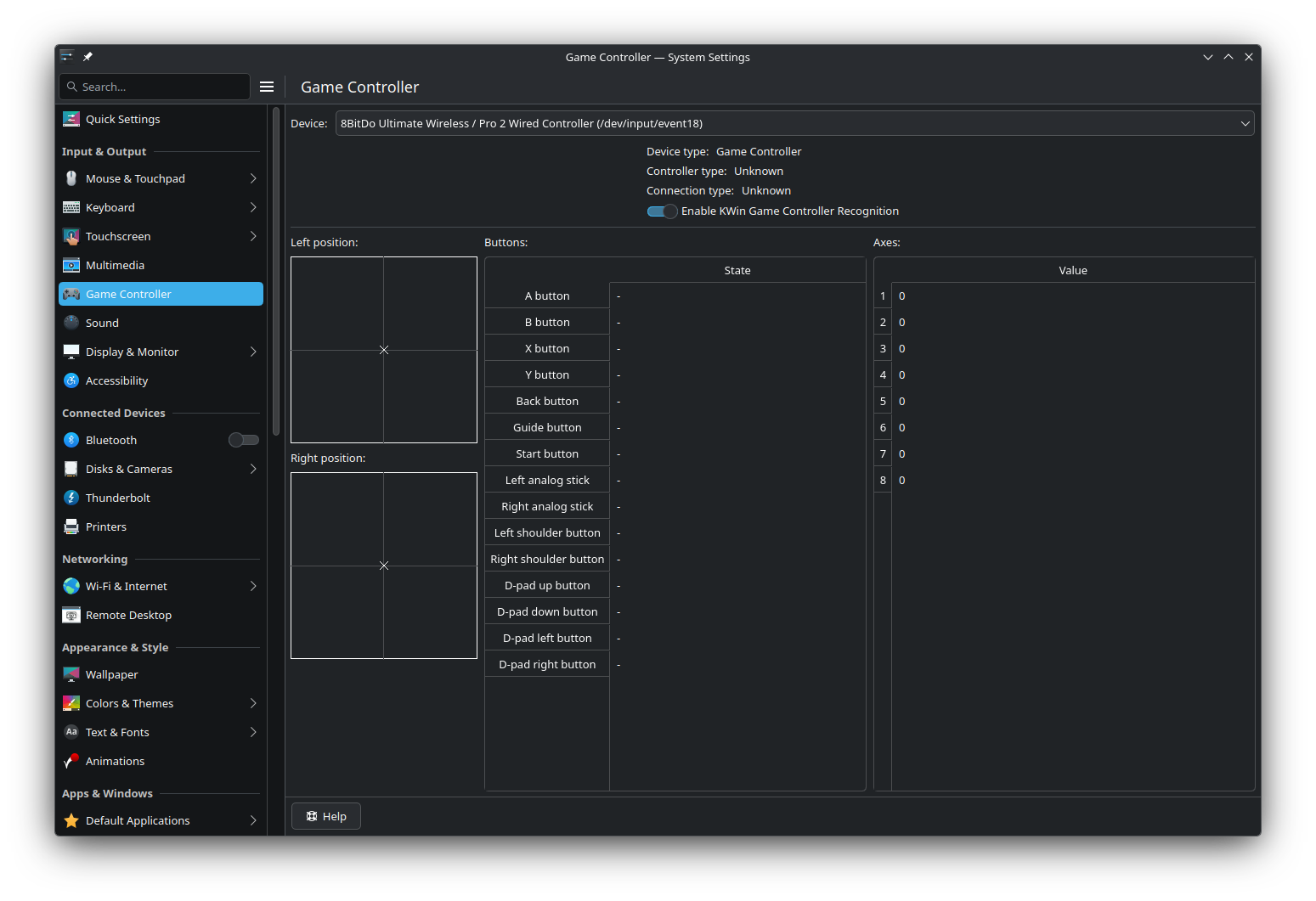
It was agreed upon early on that this plugin would be opt-in, giving the user to enable and disable it when they choose. For that I created a KDE Control Module or KCM. Or better put, I built on the existing Game Controller KCM :) I added a new UI element, a toggle, for users to enable and disable the plugin. On the backend, I added a Q_PROPERTY, pluginEnabled, which is responsible for checking the kwinrc Plugin configs, and writing to them, in order to manage the state of this plugin. This is what it currently looks like (subject to change):
Handling Lizard Mode
This was probably one of the most daunting parts of the project for me when I first started. I knew that steamOS had its own way of handling input coming from the Steam Deck controller which has nothing to do with KDE or Steam app. This is what allows the controller to work for navigating the device in game and desktop mode. It's what is refered to as "Lizard Mode". The controller -> keyboard/pointer rebinds that I implemented was based off of the rebinds of this Lizard mode. Ideally using a controller to navigate desktop feels/works the same across all devices on KDE.
It's important that this new plugin not disrupt the current input system for the steamdeck. Originally I was warned that opening the fd for this device would cause Lizard mode to be disabled, which would mean I would have to either:
A: Find a way to disable Lizard mode and implement it from scratch...
B: Figure out what disabled Lizard mode on FD open and how to prevent / enable it as needed.
or C: Just change the flag for opening the controller fd and everything works just fine :)
Yup. After some testing and the smallest change I've had to make all project the Steam Deck controller was able to be detected by the plugin as well as its input detected! Even better than that, and not sure why I did not put this together before, Steam Deck already maps its input to keyboard/mouse. Duh. So this gamepad plugin doesn't need to worry about mapping and of Steam Deck input to just use it prevent system sleep when activity from that controller is detected.
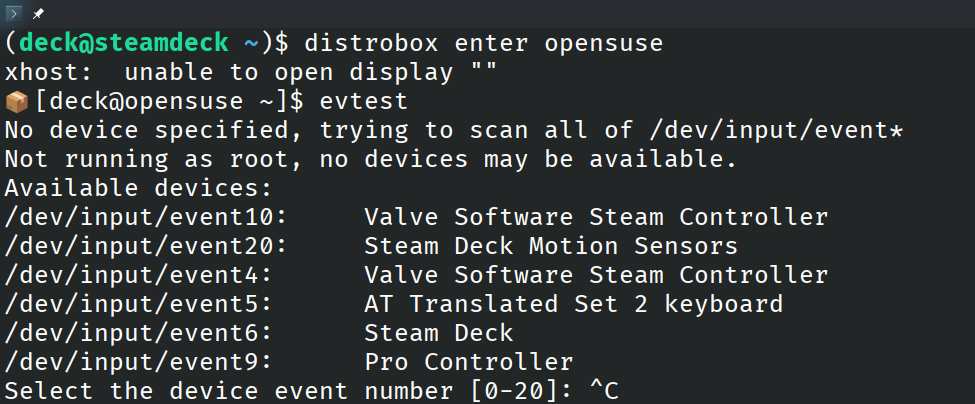
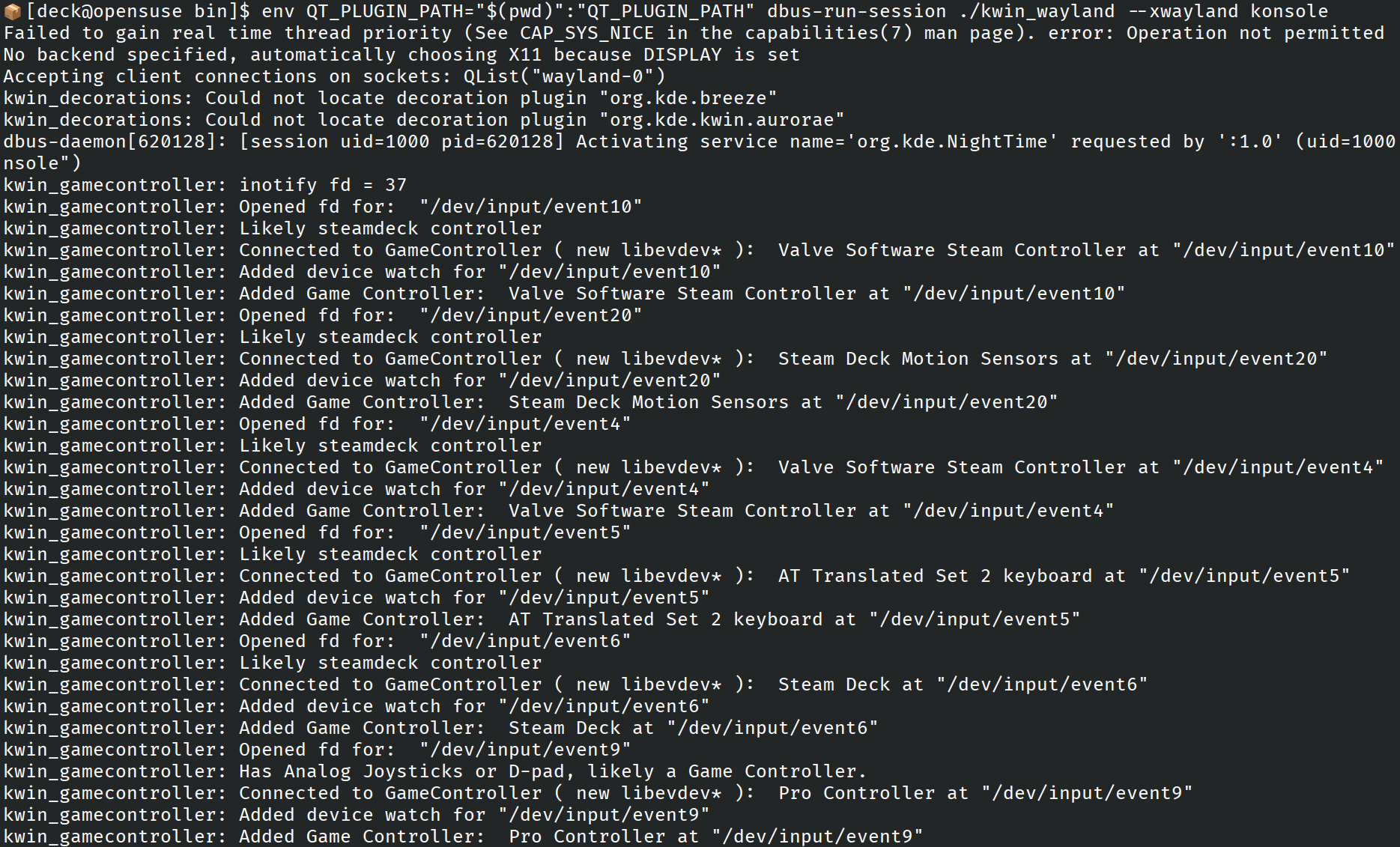
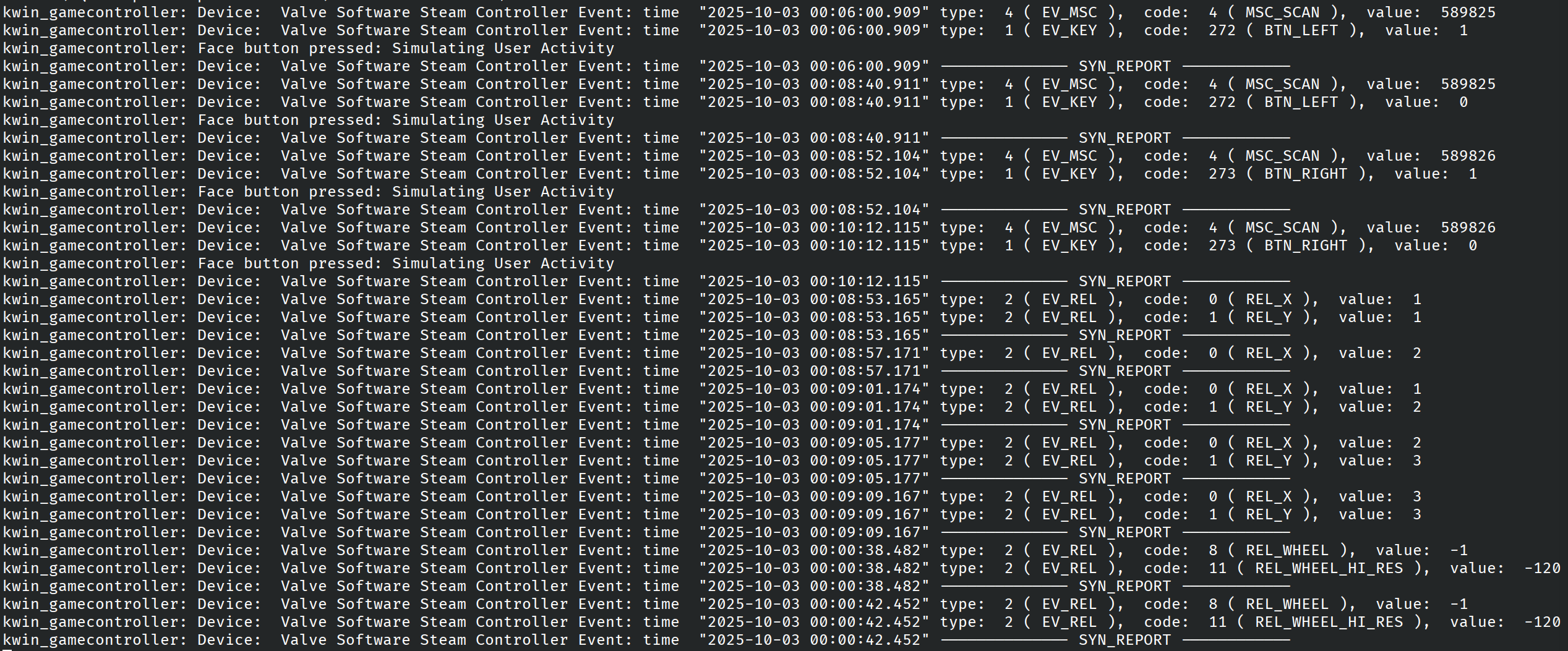
During my testing, I discovered that Steam Deck shows up on the system as 5 different controllers. Each having their own purpose, one to handle analog input (triggers, trackpads, sticks) another to handle face buttons & D-pad, another for keyboard, etc.. These are used by the system depending on the users needs. Again, this made life a lot easier. This are logs from evtest and gamecontroller plugin:
At the start of this project I had adopted a child. Some of you reading this post might have met my child. It's named. It had been drifting inside the KDE community some time, looking for someone to take care of it. But it never happened, and thus time just went on, and on.
As some put it:
Wow this is an ELEVEN (!) year old bug.
This issue is so old it can go to middle school.
and my favorite
Is there any hope that this bug will be fixed before the heat death of the universe?
By the time I met Bug328987, it had been around for ≈12 years. But still! In the eyes of KDE, it was a young, bright eyed, workflow-breaking bug, like all the bugs out there, and it had potential to be fixed! After months of back and forth with mentors, living in KDE matrix server like it were my personal Discord server, and learning how to not do things in the code base - I'm proud to say gamecontroller plugin properly addresses Bug328987. Bringing to an end its more than a decade long journey. They grow up so fast.
What’s next from here
Integration into Kwin Proper: "Draft" label has been removed from MR and is ready for review.
Final Fixes and Touch-up: Get Virtual Keyboard working, KCM toggle hot-plug, improve analog -> pointer emulation.